
































Acrylic earrings are lightweight, eye-catching, and easy to DIY or customise—perfect for UK crafters looking to add unique flair to their accessories, sell handmade pieces on Etsy, or create thoughtful gifts. From minimalist studs to bold statement pieces, the flexibility of acrylic makes it a top choice for home workshops.
In this guide, we'll walk you through three popular methods to make acrylic earrings at home or in your workshop: laser cutter, a vinyl cutter with pre-cut blanks, and a UV printer. Each method suits different skill levels and styles, so you can pick what works best for you—or try them all!

In this article:
Method 1: Make acrylic earrings with a Laser Engraver or Cutter
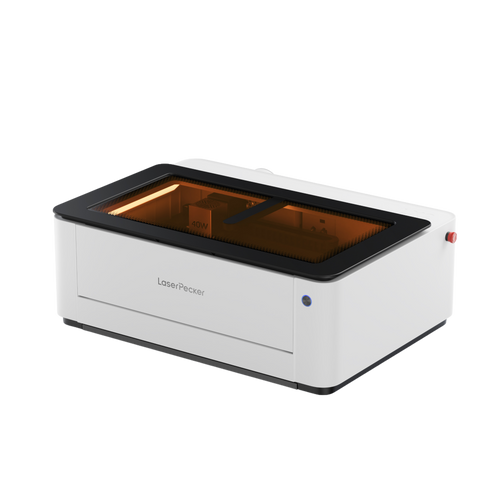
Laser engraving and cutting is one of the most precise and professional ways to create acrylic earrings. With a laser machine, you can cut custom shapes and add detailed design, text or pattern on acrylic in just minutes—perfect for both simple and intricate designs.
This method will tell you how to make acrylic earrings with laser cutter and how to make laser cut acrylic earrings.
Situation 1: Laser engrave on opaque acrylic earrings
Opaque acrylic is easy to engrave or cut with a laser, making it a beginner-friendly option. The material responds well to the laser, producing clean cuts and sharp engravings without the need for extra preparation.
a. What You'll Need
- Laser engraver/cutter
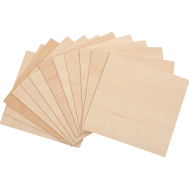
- Opaque acrylic sheets (e.g., white, black, solid colours)
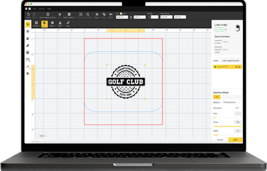
- Design software (LightBurn, Illustrator, LDS, etc.)
- Earring hardware (hooks, jump rings, pliers)
b. Step-by-Step Process
Step 1:
Create or import your design into your preferred software. Choose bold shapes and high-contrast engraving details for best visibility on solid colours.
Step 2:
Place the acrylic sheet on the laser bed and secure it if needed.
Step 3:
Configure your engraving settings—opaque acrylic handles engraving very well. Moderate power and high speed often work best for surface details.
Step 4:
Engrave first, then cut the shapes. Make sure to leave space for hardware holes.
Step 5:
Clean the finished earrings with a cloth or alcohol wipe to remove dust or smoke marks.
Step 6:
Attach the earring findings using pliers.
Situation 2: Engraving on Transparent Acrylic Earrings
Transparent acrylic can be more challenging to work with, as it doesn't absorb the laser as easily. To achieve clean results, you'll often need to apply a coating or masking material, such as marking paper or paint, before engraving.
a. What You'll Need
- Laser engraver/cutter for acrylic
- Transparent acrylic sheets
- Design software
- Masking tape (recommended for better engraving contrast)
- Earring hardware
- Fine sanding tools or a polishing cloth (optional)
b. Step-by-Step Process
Step 1: Design your pattern
keeping in mind that fine lines and light details may be less visible on clear acrylic.
Step 2: Apply masking tape to the engraving area
This helps the laser create a more noticeable frosted effect and reduces glare.
Step 3: Set your laser
Set your laser to a slightly lower speed to allow for deeper, more visible engraving on the slick surface.
Step 4: Engrave and then cut the earring shape
Be mindful of tiny, delicate cuts—clear acrylic can be a bit brittle.
Step 5: Peel off the masking tape
Peel off the masking tape and clean the surface gently.
Safety Notes
For users in the UK, safety should also be valued when laser engraving or cutting materials such as acrylic.
- LP2 Plus, LP2, and LP4 users: We recommend using the LaserPecker Standard Enclosure when operating the machine at home or in a workshop environment.
- LP5 users: The LP5 Safety Enclosure is required to ensure proper protection during operation.
- LX2 users: No additional enclosure is needed. The LX2 is Class 1 laser safety, meaning it is safe to use without extra protective equipment under normal conditions.
In addition to laser safety, air quality is equally important. Laser processing can produce fumes and fine particles, especially when working with plastics or acrylic. To maintain a clean and safe working environment, we strongly recommend using the LaserPecker Desktop Air Purifier, particularly for indoor use.
Method 2: Make acrylic earrings with a Vinyl Cutter & pre-cut acrylic blanks
Wondering how to make acrylic earrings without a laser cutter or engraver? Want to know how to make acrylic earrings with cricut?
No worries! A vinyl cutter (Like Cricut) and pre-cut acrylic blanks offer a fun and creative way to design custom earrings—perfect for beginners or quick DIY projects.
a. What You'll Need
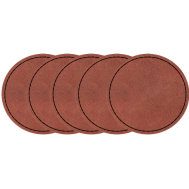
- Pre-Cut Acrylic Earring Blanks (available in various shapes and sizes)
- Vinyl Cutter (e.g., Cricut)
- Adhesive Vinyl (permanent or removable) or Heat Transfer Vinyl (HTV)
- Transfer Tape (for adhesive vinyl)
- Weeding Tools
- Jewelry Hardware (hooks, jump rings, pliers)
- Sealer or Resin (optional, for extra durability)
b. Step-by-Step Process
Step 1: Design Your Vinyl Decal
Use your vinyl cutter's design software to create patterns, graphics, or text. Keep your designs simple and small to fit well on the blanks.
Step 2: Cut the Vinyl
Load your vinyl into the cutter and let it do the work. Make sure your settings match the material you're using (adhesive or HTV).
Step 3: Weed the Design
Carefully remove the excess vinyl, leaving only your design on the backing sheet.
Step 4: Transfer the Design to the Acrylic Blank
For adhesive vinyl:
- Use transfer tape to lift the vinyl design.
- Position it on the blank and press down firmly.
- Peel off the transfer tape slowly.
For HTV:
- Place the vinyl face-up on the blank.
- Use a heat press or iron at low temperature with a protective sheet.
- Let cool and peel away the carrier sheet.
Step 5: Attach Your Earring Hardware
Use pliers to connect the jump rings and earring hooks. Make sure everything is secure.
This method lets you create acrylic earrings using a Cricut and pre-cut acrylic blanks. It's easier and more colourful than laser engraving or cutting. If you already have acrylic earring blanks and want vibrant designs, this is a great approach.
Method 3: Make acrylic earrings with a UV Printer
Looking to add vivid colours, photo-quality prints, or intricate patterns to your acrylic earrings? A UV printer might be your new favorite tool. This method is perfect for artists and crafters who want to bring complex or custom graphics to life—no engraving or cutting needed!
a. What You'll Need
- UV Printer
- Blank Acrylic Earrings (pre-cut, flat, and clean)
- Design Software (Photoshop, Illustrator, or your printer's software)
- Printer Ink
- Double-sided adhesive or jigs (to keep the blanks in place)
- Earring Findings (hooks, jump rings, pliers)
b. How It Works – Step-by-Step
Step 1: Create Your Artwork
Open your design software and set up your canvas based on the size of your earring blanks. Think bold prints, full-colour illustrations, or even photos!
Step 2: Prepare the Acrylic Blanks
Clean the surface thoroughly to remove any dust or oils. Place them on the UV printer bed using adhesive or a jig to hold them securely in place.
Step 3: Print Your Design
Send your file to the printer. If you're printing on clear or dark acrylic, make sure to include a white ink base layer so the colours pop.
Step 4: Cure and Inspect
The UV light will instantly cure the ink as it prints. Once finished, inspect each piece to make sure the print is clean, sharp, and fully dried.
Step 5: Add the Hardware
Drill tiny holes if needed and attach jump rings and earring hooks to finish the set.
Comparison Table - DIY Acrylic Earrings
| Method | Equipment | colours | Difficulty | Best For |
|---|---|---|---|---|
| Laser Engraver/Cutter | Laser machine | Limited | Medium | Precise, professional designs |
| Vinyl Cutter + Pre-cut Blanks | Vinyl cutter + blanks | Vibrant | Easy | Quick DIY, colourful |
| UV Printer | UV printer | Full-colour | Medium | Custom images, detailed designs |
If you want perfectly precise, professional-looking acrylic earrings, laser engraving and cutting is the way to go. Unlike vinyl cutters or UV printers, a laser engraver delivers crisp edges, intricate details, and durable designs that truly stand out.
Whether you're making gifts, building your small business, or crafting for yourself, laser engraving lets your creativity shine without limits.
Conclusion:
Making acrylic earrings is a fun and rewarding project for UK crafters — whether you're just starting out with vinyl or working professionally with a laser engraver. Machines like the LaserPecker LP4 and LP2 Plus are well suited to the UK market, thanks to their plug compatibility, built-in safety features, and precise engraving performance, while vinyl cutters remain a great option for quick, colourful designs.
Whether you're a beginner or ready to take your skills further, these methods are ideal for practising techniques and developing your own style. So grab your materials, fire up your machine, and start creating earrings that truly stand out!