






























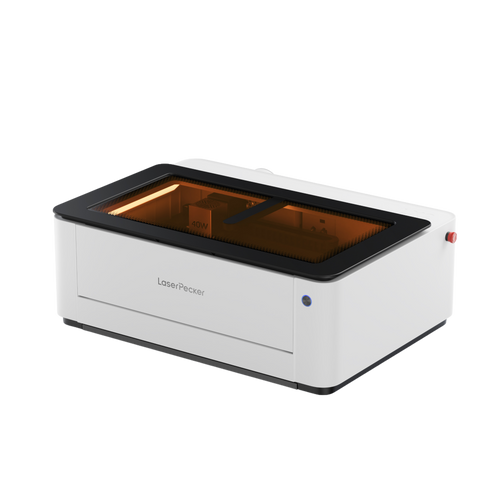


Aluminium laser cutting has become an essential technique for makers, engineers, and hobbyists. Whether you are starting with simple DIY projects or working towards advanced fabrication, learning how to cut aluminium accurately can unlock both creative and industrial applications.
This guide walks you through the process step by step — from understanding the basics to applying professional techniques. By the end, you will have a clear idea of how to laser cut aluminium safely, efficiently, and with consistent results.

In this article:
Part 1:What is Aluminium Laser Cutting?
Laser cutting is a high-precision process that uses a focused beam of light to cut through materials. When applied to aluminium, this technique is widely used in signage, product fabrication, and custom DIY projects due to its speed, accuracy, and clean finish.
Compared with traditional cutting methods, laser cutting produces smoother edges and reduces the need for post-processing. This makes it particularly suitable for detailed designs and thin metal components.

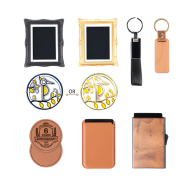
Source: Project from LaserPecker CraftZone
1.1 How Does Laser Cutting Work on Aluminium?
Aluminium is a reflective and highly thermally conductive metal, which makes it more challenging to cut than materials such as wood or acrylic. During laser cutting, a concentrated beam heats the aluminium surface until it melts or vaporises.
This process allows for precise, burr-free cuts with minimal heat-affected zones. However, aluminium’s high reflectivity — particularly at certain wavelengths — can reduce cutting efficiency and increase difficulty.
To achieve optimal results:
- Use lasers designed for metal processing
- Select appropriate wavelength absorption
- Consider coated or anodised aluminium for easier cutting
These steps help improve cutting quality and consistency.
1.2 What Laser Power and Type is Best for Cutting Aluminium?
- Selecting the correct laser type is essential for cutting aluminium effectively. Both wavelength and power influence performance.
- Fibre Lasers (1064 nm wavelength): Fibre lasers are the preferred option for aluminium. They are highly effective on reflective metals and provide clean, fast, and precise cuts. Compact systems such as the LaserPecker LP5 are designed for metal processing and can handle aluminium surfaces with good control.
Part 2: Which Aluminium Materials Are Suitable for Laser Cutting?
Not all aluminium performs the same during laser cutting. The quality of the cut depends on several factors, including sheet thickness, alloy type, and surface finish. Understanding these variables helps achieve cleaner edges, minimise waste, and improve overall project results.
Sheet Thickness
Laser power must match the thickness of the aluminium sheet for effective cutting:
Thin Sheets (≤1 mm)
Thin aluminium sheets are relatively easy to cut using medium-power fibre lasers (20W–100W). These are ideal for detailed designs, lightweight components, and decorative pieces.
Medium Sheets (1–3 mm)
Medium-thickness aluminium requires more powerful fibre lasers (150W–300W). This range is commonly used for signage, enclosures, and structural brackets.
Thick Sheets (3 mm and above)
Thicker aluminium is best handled by high-power industrial fibre lasers (500W+). As thickness increases, cutting speed decreases, and assist gas becomes more important for maintaining edge quality.
In general, thicker materials require:
- Higher laser power
- Slower cutting speeds
- Improved airflow or assist gas
Alloy Types (e.g. 6061, 5052)
Different aluminium alloys respond differently to laser cutting.
Pure Aluminium (1100 series)
This type is soft and easy to cut but highly reflective. It may require higher laser power or coatings to improve absorption.
5052 Aluminium
5052 is considered laser-friendly. It offers good corrosion resistance and produces clean cuts, making it a popular choice for fabrication projects.
6061 Aluminium
6061 is stronger and more rigid but slightly harder to cut cleanly due to its silicon and magnesium content. Higher-power fibre lasers are recommended for best results. Compact fibre systems such as the LaserPecker LP5 can handle thinner 6061 aluminium effectively.
Surface Finish Considerations
Surface condition plays an important role in laser cutting performance.
Painted or Coated Aluminium
Coatings may produce fumes during cutting and often require additional cleaning afterwards. Proper ventilation is recommended.
Polished or Reflective Surfaces
Highly reflective surfaces can reduce efficiency and potentially reflect energy back toward the laser source. Matte or anodised finishes are safer and easier to cut.
Anodised Aluminium
Anodised aluminium performs very well. The surface layer improves absorption and reduces reflectivity, resulting in cleaner cuts and better engraving contrast.
In some situations, applying laser-safe marking spray or protective tape can help reduce reflection on polished aluminium surfaces.
Case Study: Cutting an Aluminium Business Card with a Fibre Laser – 5 Key Steps
Creating aluminium business cards is a practical example of precision laser cutting. This small-scale project demonstrates how fibre lasers can deliver clean edges, detailed engraving, and professional results suitable for branding or personal use.
Items Required
- Engraving Material: Aluminium business card blank
- Engraving Machine: LaserPecker LP5
- Design: Text, images, patterns, or outline shapes
Step 1: Choose Your Aluminium Material
Selecting the correct aluminium material is essential for consistent cutting. Thin aluminium business card blanks are ideal because they require less power and allow for precise detailing.
Anodised aluminium is particularly suitable, as it improves laser absorption and produces better contrast.
Step 2: Choose the Right Laser Machine
A fibre laser is recommended for cutting aluminium business cards. Devices such as the LaserPecker LP5 combine dual-laser capability with metal-processing performance, making them suitable for thin aluminium cutting and engraving.
This ensures clean edges and minimal deformation.
Step 3: Prepare Your Cutting Design
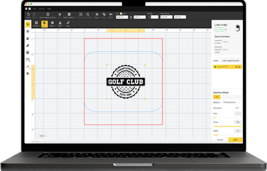
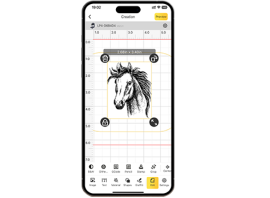
Use compatible software such as LDS to create or import your design. Define both engraving elements and cutting outlines.
For best results:
- Use vector outlines for cutting
- Avoid extremely fine text
- Keep spacing consistent
Step 4: Set Up the Aluminium Laser Cutting Machine
To achieve optimal results, the recommended laserpecker material settings for aluminium cutting are:
- Laser: 20W (1064 nm)
- Resolution: 2K
- Power: 100%
- Depth: 100%
- Passes: 3
- Laser Frequency: 26
These laserpecker material settings provide a reliable starting point for thin aluminium business cards. Adjustments may be required depending on surface finish and thickness.
To explore additional laserpecker material settings, refer to the settings table covering all LaserPecker engraving and cutting machines, including LP1, LP2, LP3, LP4, and LP5.
Step 5: Start Cutting
Double-check alignment, focus, and safety precautions before starting. Once confirmed, begin the cutting process.
A fibre laser will engrave the design first and then cut the outline, producing a precise aluminium business card with clean edges and professional detail.
FAQs: Hot Questions about Aluminium Laser Cutting
1. Can aluminium really be cut with a laser?
Yes, aluminium can be cut using fibre lasers. As aluminium is a highly reflective material, fibre lasers with a 1064 nm wavelength offer improved absorption and produce cleaner, more precise edges.
2. What thickness of aluminium can a desktop fibre laser cut?
Desktop fibre lasers can cut thin aluminium sheets, typically under 1 mm, depending on power and settings. Machines such as the LaserPecker LP5 are designed for precision cutting of thin aluminium and detailed engraving.
3. Is it safe to cut aluminium indoors?
Yes, provided proper safety measures are in place. When used with a Safety Enclosure, the LaserPecker LP5 can achieve Class 1 Laser Safety, ensuring a fully enclosed and controlled operating environment suitable for indoor use.
For additional indoor safety, it can be paired with the LaserPecker Desktop Air Purifier, which helps filter fumes and odours generated during cutting and engraving.
4. Do I need ventilation when cutting aluminium?
Yes, ventilation is recommended. Laser cutting aluminium can produce fumes, especially when coatings are present. Using a purifier such as the LaserPecker Desktop Air Purifier helps remove airborne particles and improves indoor air quality.
5. What is the best laser type for cutting aluminium?
Fibre lasers are the most effective choice due to their wavelength compatibility with reflective metals. They provide faster cutting speeds, cleaner edges, and improved consistency.
6. Can I use aluminium laser cutting for small business products?
Yes. Aluminium laser cutting is commonly used for:
- Metal business cards
- Nameplates
- Tags and labels
- Custom branding items
Compact systems like the LaserPecker LP5 allow small-batch production while maintaining professional quality.
Conclusion
Mastering aluminium laser cutting requires the right combination of knowledge, practice, and equipment. From understanding material properties to refining laser settings, each step helps you move closer to professional-quality results.
By applying the techniques outlined in this guide, you can confidently produce precise and durable aluminium projects. Compact fibre laser systems such as the LaserPecker LP5 make it possible to achieve detailed metal cutting and engraving in a small workspace, while Class 1 Laser Safety ensures enclosed and controlled operation.
For indoor environments, pairing your setup with the LaserPecker Desktop Air Purifier helps filter fumes and odours generated during cutting, supporting cleaner and safer use.
Whether you are creating prototypes, custom products, or small-batch business items, aluminium laser cutting opens up a wide range of possibilities. With the right tools and techniques, your journey from beginner to professional starts here.