
































Rubber engraving is a versatile craft that combines creativity with practical use, making it ideal for producing custom stamps, decorative patterns, personalised signage, and unique gifts. Whether you're working on a small DIY project at home or creating engraved products for a UK-based business, learning how to engrave rubber can unlock a wide range of creative possibilities.
One of the key advantages of rubber engraving is its flexibility. There is no single method that suits every project — different techniques offer distinct benefits depending on your available tools, budget, and the level of detail or finish you want to achieve.
In this guide, we'll walk you through four effective methods for engraving rubber, ranging from high-precision machine-based techniques to hands-on, artisanal approaches. This will help you choose the most suitable method based on your experience level and project goals.

In this article:
- Method 1: Engrave Rubber with a Laser Engraving Machine
- Method 2: Engrave Rubber with a Hand Carving Tool
- Method 3: Engrave Rubber with a CNC Machine
- Method 4: Engrave Rubber with a Cricut Maker
Method 1: Engrave Rubber with a Laser Engraving Machine
Laser engraving is one of the fastest and most precise methods for engraving rubber, making it a popular choice in the UK for both DIY makers and small businesses. By focusing a high-powered laser beam onto the surface, the rubber material is vaporised along the design path, resulting in clean and accurate engravings. This method is widely used for creating custom rubber stamps, intricate patterns, and professional signage where speed and consistency are important.
Tools & Materials Needed
- A laser engraving machine suitable for rubber engraving
- Laser-compatible rubber sheets (low-odour, designed specifically for engraving)
- Design software (e.g., LDS, LightBurn, RDWorks, CorelDRAW)
- Masking tape (optional, to reduce residue)
Steps to Engrave Rubber with a Laser Engraver
Step 1: Prepare Your Design
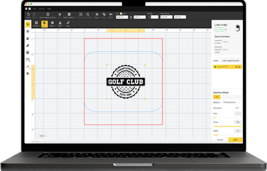
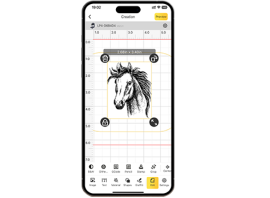
Create or import your design into the laser software. Adjust the artwork to high contrast to ensure clear, sharp engraving results.
Step 2: Choose a Suitable Laser Engraver
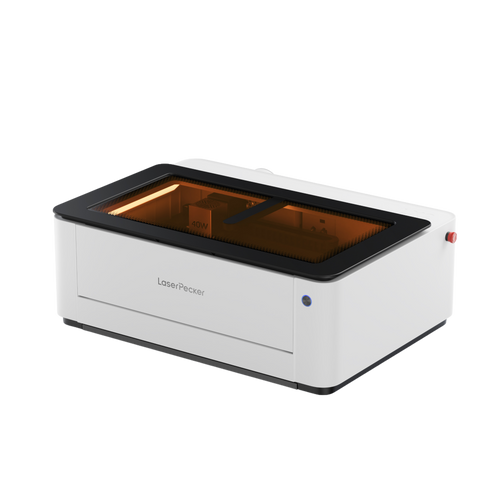
For engraving rubber at home or in a small workshop, a compact desktop laser engraver is often the most practical choice. Models like the LaserPecker LP5 are well suited for this task, offering precise control, stable output, and compatibility with laser-safe rubber materials. Its enclosed design and clean operation also make it more suitable for UK indoor working environments.
Step 3: Set Up the Rubber Material
Place the rubber sheet flat on the laser bed. Secure it with masking tape if needed to prevent movement and minimise smoke residue.
Step 4: Adjust Laser Settings
For engraving rubber with the LP5, we recommend the following laser settings: Power at 50%, Depth at 70%, and 1 pass.
Step 5: Start Engraving
Begin the engraving process and monitor it closely to ensure clean cuts and safe operation.
Step 6: Clean and Finish
Wash the engraved rubber gently with mild soap and water to remove residue. Remove any masking tape and inspect the engraving depth and clarity.
Advantages and Limitations of Laser Engraving Rubber
Advantages:
- Extremely precise and repeatable results.
- Can handle complex and detailed designs.
- Fast production speed for bulk orders.
Limitations:
- Requires access to a laser machine (higher initial cost).
Method 2: Engrave Rubber with a Hand Carving Tool
Hand carving is the most traditional and budget-friendly way to engrave rubber, and it remains popular among DIY makers in the UK. Instead of relying on machines, this method involves manually cutting into the rubber surface using specialised carving tools. It is commonly used for handmade rubber stamps, artistic patterns, and bespoke designs where creative control is more important than speed.
This approach allows you to control every cut and detail, but it does require patience, practice, and steady hands to achieve clean results.
Tools & Materials Needed
- Rubber carving block
- Carving tools (e.g., Speedball linoleum cutters, X-Acto knife)
- Pencil or waterproof marker (for sketching the design)
- Tracing paper
- Cutting mat
Steps to Engrave Rubber by Hand Carving Tool
Step 1: Prepare Your Design
Draw your design directly on the rubber using a pencil or marker. Alternatively, use tracing paper to transfer a design.
Step 2: Secure the Rubber Block
Place it on a cutting mat to avoid slipping. You can tape the edges for extra stability.
Step 3: Carve the Outline
Use a fine carving tip to trace the outline first. Go slowly to maintain accuracy.
Step 4: Remove Excess Material
Switch to a wider carving blade to remove larger sections. Carve away background areas, leaving raised parts as your design.
Step 5: Inspect & Clean
Brush off rubber shavings. Test your engraving with ink (if making a stamp) to check details.
Advantages and Limitations of Hand Carving Rubber
Advantages:
- Very low cost—no need for expensive machines
- Complete creative control over depth and style
Limitations:
- Time-consuming, especially for large or complex designs
- Requires steady hands and practice to achieve precision
- Inconsistent results if skill level is low
Method 3: Engrave Rubber with a CNC Machine
Engraving rubber with a CNC (Computer Numerical Control) machine combines automation with a high level of precision, making it a practical option for UK users who require consistent and repeatable results. By following a digital design, the CNC machine accurately cuts into the rubber surface, which is especially useful for producing identical patterns, logos, or rubber stamps in small batches or bulk.
Although CNC engraving is more commonly associated with wood or metal, it can also be effective for industrial rubber marking or stamp production where uniform quality is essential.
Tools & Materials Needed
- CNC milling or engraving machine
- Rubber sheet or block
- Appropriate cutting bit
- Design software (CAD/CAM software like Fusion 360, VCarve, or Easel)
- Cutting mat or clamps (to secure rubber)
Steps to Engrave Rubber with a CNC Machine
Step 1: Create or Import Your Design
Use CAD software to create a vector-based design or import an existing file (DXF, SVG).
Step 2: Secure the Rubber Material
Place the rubber sheet on the CNC bed and secure it using clamps or double-sided tape to prevent shifting.
Step 3: Set Up the CNC Machine
Install the correct cutting bit for fine details. Adjust spindle speed—rubber requires lower speeds to avoid melting or tearing.
Step 4: Run a Test Pass
Perform a shallow test cut on scrap rubber to ensure depth and accuracy.
Step 5: Start the Engraving Process
Let the CNC run according to the programmed toolpath. Monitor the process to ensure no material warping or displacement.
Step 6: Finishing
Remove the rubber from the CNC bed. Clean up any loose shavings or burrs.
Advantages and Limitations of CNC Rubber Engraving
Advantages:
- Highly consistent and repeatable results for batch production
- Ideal for creating identical rubber stamps or industrial markings
- Suitable for businesses requiring precision and uniform quality
Limitations:
- Requires CNC experience, software knowledge, and setup time
- Slower and more complex than laser engraving for simple designs
Method 4: Engrave Rubber with a Cricut Maker
The Cricut Maker is a popular craft cutting machine in the UK, widely used for DIY projects involving vinyl, paper, fabric, and light engraving. Although it is not designed for deep rubber engraving, it can be used to cut or lightly engrave thin rubber sheets with the correct blade and settings. This makes it suitable for creating custom stamps, stencils, or decorative rubber elements for home-based craft projects.
This method is best suited to hobbyists and small-scale DIY applications rather than professional or industrial rubber engraving.
Tools & Materials Needed
- Cricut Maker
- Engraving tip or deep-cut blade
- Thin rubber sheet (0.8–2 mm recommended for best results)
- StrongGrip cutting mat (purple mat)
- Design software (Cricut Design Space)
- Masking tape (optional, for extra hold)
Steps to Engrave Rubber with a Cricut Maker
Step 1: Design Your Artwork
Open Cricut Design Space and create or import your design.
Step 2: Prepare the Rubber Sheet
Place the rubber sheet onto the StrongGrip mat. Use masking tape along the edges to secure it firmly so it doesn't shift.
Step 3: Install the Right Tool
For surface etching: use the Cricut Engraving Tip. For cutting shapes: use the Deep-Point Blade.
Step 4: Adjust Machine Settings
Choose a lower cutting pressure for engraving and medium pressure for cutting. Run a small test pass to ensure the tool doesn't tear the material.
Step 5: Engrave or Cut
Start the Cricut process. Monitor progress to ensure the rubber stays flat and secure.
Step 6: Finishing Touches
Remove the rubber from the mat carefully to avoid stretching. Clean off any residue with a soft cloth.
Advantages and Limitations of Engraving Rubber with a Cricut Maker
Advantages:
- Easy to use and beginner-friendly for home DIY projects
- No need for specialised engraving machines
- Ideal for thin rubber sheets, stencils, and light stamp designs
Limitations:
- Limited engraving depth compared to laser or CNC methods
- Not suitable for thick rubber or high-volume production
Hot Questions about Rubber Engraving
Q1. Can I engrave rubber at home in the UK?
Yes, rubber engraving can be done at home using tools such as a laser engraver, hand carving tools, or a Cricut Maker. For indoor use, proper ventilation is recommended, and using an air purifier can help reduce smoke and odours—especially when laser engraving rubber.
Q2. What is the best method for engraving rubber stamps?
Laser engraving is one of the most popular methods for rubber stamps due to its precision and speed. Hand carving is also a good option for small, artistic, or one-off stamp designs.
Q3. Is laser engraving rubber safe for indoor use?
Laser engraving rubber can be safe indoors if you use laser-compatible, low-odour rubber and proper fume extraction or air filtration. Using an air purifier can further help reduce smoke and unpleasant odours. Always avoid engraving materials that are not designed for laser use.
Q4. Can a Cricut Maker engrave rubber effectively?
A Cricut Maker can cut or lightly engrave thin rubber sheets, making it suitable for DIY stamps, stencils, and decorative projects. However, it is not designed for deep or industrial-grade rubber engraving.
Q5. Which rubber thickness works best for engraving?
For most home and DIY projects, thin rubber sheets between 0.8 mm and 2 mm work best. Thicker rubber may require laser or CNC engraving for clean results.
Q6. Is CNC engraving rubber suitable for small UK businesses?
Yes, CNC engraving is suitable for small businesses that need consistent, repeatable rubber engravings, such as stamp production. However, it requires technical knowledge, tooling setup, and a dedicated workspace, which may not suit every small operation.
By contrast, desktop laser engravers are often a more practical option for home users and small workshops. For example, models like the LaserPecker LP5 offer a compact footprint, lower noise levels, and cleaner operation, making them easier to use in UK home or studio environments while still delivering precise, repeatable results.
Conclusion:
Rubber engraving can be as advanced or as hands-on as you choose, depending on your goals and available tools. If speed, precision, and professional consistency are your priorities, laser engraving machines and CNC machines are excellent options for producing high-quality results in the UK. They are particularly well suited for custom stamps, signage, and small-batch production.
For more personal or creative projects, hand carving tools and the Cricut Maker offer accessible alternatives that require less upfront investment. These methods are ideal for DIY enthusiasts, hobbyists, and home-based makers who value creative control over production speed.
With the right method and a bit of practice, rubber engraving is not only achievable but also enjoyable and rewarding. Now that you understand the main techniques, you can confidently choose the approach that fits your project and start creating your own custom rubber designs.