










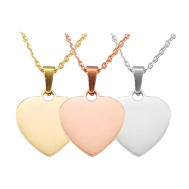























Dog tags are more than simple accessories — they're a practical way to display essential information, personal messages, or a unique sense of style. From custom pet ID tags and military-style dog tags to personalised gifts, engraving ensures each tag is clear, durable, and built to last.
In this guide, we'll explore six reliable methods for engraving dog tags, ranging from professional laser engraving machines to DIY hand tools. This will help you choose the most suitable option based on your skill level, budget, and design requirements.

In this article:
- Method 1: Engrave Dog Tag with a Laser Engraving Machine
- Method 2: Engrave Dog Tag with a Rotary Tool
- Method 3: Engrave Dog Tag with a Chisel and Hammer
- Method 4: Engrave Dog Tag via Stamping
- Method 5: Engrave Dog Tag with a Small CNC Machine
- Method 6: Engrave Dog Tag with a Cricut Maker
Method 1: Engrave Dog Tag with a Laser Engraving Machine
Laser engraving is one of the most accurate and professional methods for customising dog tags. Whether you're engraving a name, contact details, or a custom graphic, a laser engraver produces clean, permanent markings on materials such as metal, plastic, and acrylic.
This method is especially popular among UK users who want long-lasting, high-contrast results for pet ID tags, military-style dog tags, or personalised gifts.
What You'll Need for laser engraving dog tag:
- Fibre laser engraving machine
- Dog tags (stainless steel, aluminum, etc.)
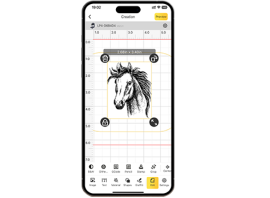
- Design software (e.g., LightBurn, LaserPecker Software & App)
Step 1: Create or select a design
Use engraving software to design text, patterns, or logos. Adjust the size so it fits neatly within the tag's surface.
Step 2: Choose a suitable laser engraver
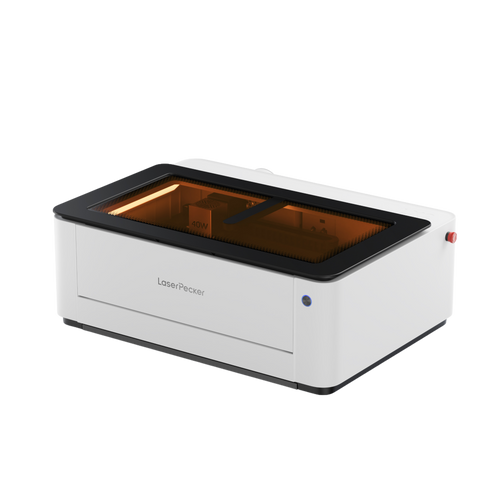
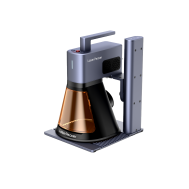
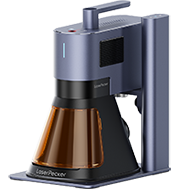
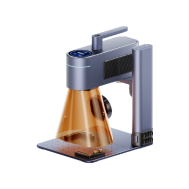
For engraving metal dog tags at home or in a small workshop, a reliable laser engraver is essential. The LaserPecker LP5 is a strong option for UK users, offering high precision and consistent results on stainless steel and other metals, while remaining compact and easy to operate.
Step 3: Clean the tag surface
Remove dust, oil, or fingerprints to ensure the engraving appears sharp and even.
Step 4: Secure the dog tag
Place the tag firmly on the laser bed so it remains stable throughout the engraving process.
Step 5: Adjust laser settings
Set the appropriate power, speed, and focus height for your material.
For stainless steel, a slower speed combined with higher power typically delivers better contrast.
Step 6: Preview and align
Use the preview or framing function to confirm the design is correctly positioned.
Step 7: Start engraving
Begin engraving and monitor the process to ensure safety and precision.
Step 8: Clean and finish
After engraving, wipe away residue and polish the surface if needed.
Advantages and Limitations of Engraving Dog Tags with a Fibre Laser
Advantages:
Extremely high precision and fine detail
Fast and efficient for small to medium batches
Non-contact process (no tool wear or damage)
Works on a variety of materials
Limitations:
Requires expensive, specialized equipment.
Method 2: Engrave Dog Tag with a Rotary Tool
Using a rotary tool or electric engraving pen is a practical and budget-friendly way to engrave dog tags. This hands-on method is ideal for DIY projects or one-off custom pieces, especially if you enjoy crafting or don't have access to a laser engraving machine.
In the UK, this approach is commonly used for home projects, hobby engraving, and simple pet ID tags.
What You'll Need:
- Rotary tool or electric engraving pen
- Clamp, vise, or non-slip mat
- Polishing cloth or fine sandpaper
Step 1: Plan and Mark the Design
Use a stencil or marker to outline the text or pattern on the dog tag.
Step 2: Secure the Tag
Clamp the dog tag to your work surface to prevent slipping.
Step 3: Choose the Right Bit
Install a fine engraving bit suitable for the tag material.
Step 4: Start Engraving Slowly
Hold the tool like a pen and trace your design steadily. Light pressure works best.
Step 5: Clean and Polish
Wipe off dust and polish the tag if needed to improve clarity.
Advantages and Limitations of Engraving Dog Tags with a Rotary Tool
Advantages:
Affordable and easy to access
No software or machine setup required
Suitable for simple, one-off designs
Limitations:
Requires a steady hand and practice
Less precise than laser or CNC engraving
Time-consuming for complex designs
Can result in inconsistent depth or clarity
Method 3: Engrave Dog Tag with a Chisel and Hammer
Hand engraving using a chisel and hammer is a traditional technique that produces a bold, rugged, and handcrafted finish. This method appeals to those who value craftsmanship and want a more personal, artisan-style engraving on metal dog tags.
In the UK, this approach is often associated with metalworking traditions and bespoke, handmade items, rather than mass customisation.
What You'll Need:
- Small metal chisel or engraving punch set
- Ball-peen hammer or lightweight engraver's hammer
- Engraving block or vise (to securely hold the dog tag)
- Pencil or scribe (for sketching the design)
Step 1: Mark the Design
Draw or lightly scribe the design or text onto the dog tag as a guide.
Step 2: Secure the Tag
Place the tag on a hard surface and secure it firmly to avoid movement.
Step 3: Position the Chisel or Stamp
Align the chisel or stamp on the first letter or line of your design.
Step 4: Strike with Hammer
Tap the chisel or stamp with controlled force. Repeat for each letter or element.
Step 5: Clean and Finish
Remove any debris and polish the tag for a cleaner look.
Advantages and Limitations of Hand-Engraved Dog Tags
Advantages:
No electricity or complex equipment required
Produces deep, durable engravings
Limitations:
Time-consuming, especially for detailed designs
Requires skill, precision, and practice
Limited to simple text, symbols, or shapes
Method 4: Engrave Dog Tag via Stamping
Metal stamping is a popular and beginner-friendly way to customise dog tags. By using metal letter or number stamps together with a hammer, you can create permanent impressions on the surface, resulting in a bold, handmade appearance.
In the UK, this method is often chosen for simple pet ID tags, DIY gifts, and small personal projects, especially by beginners.

Source: Hand stamped Pet Tag for Teddy
What You'll Need:
- Metal stamps (alphabet, numbers, symbols)
- Ball-peen or metal stamping hammer
- Dog tags (preferably aluminum, brass, or stainless steel)
- Polishing cloth
Step 1: Plan and Align Your Design
Use tape or a stamping guide to mark your design placement and keep letters straight.
Step 2: Secure the Tag
Place the dog tag on a steel block and fix it in place with tape.
Step 3: Position the Stamp
Hold the metal stamp vertically over the desired spot.
Step 4: Strike with Hammer
Give one firm, controlled hammer strike to impress the stamp into the metal.
Step 5: Repeat and Fill (Optional)
Repeat for each character. Fill in the letters with a dark marker or enamel, then wipe clean
Advantages and Limitations of Metal-Stamped Dog Tags
Advantages:
Very affordable and easy to learn
No electricity, software, or machines required
Limitations:
Limited detail compared to laser or CNC engraving
Works best on flat, softer metals
Errors are difficult to correct once stamped
Method 5: Engrave Dog Tag with a Small CNC Machine
A small CNC engraving machine delivers excellent precision and repeatability, making it a strong option for custom dog tag engraving—especially when consistent results are required across multiple pieces. This method is well suited to small UK businesses, experienced hobbyists, and advanced DIY users.
What You'll Need:
- Desktop CNC engraving machine
- Engraving bits
- CAM/CAD software
- Dog tags (typically aluminum, brass, or stainless steel)
- Polishing cloth
Step 1: Design Your Engraving
Create or import your design using CAD software and convert it to a toolpath with CAM software.
Step 2: Fix the Tag to the Work Bed
Use strong tape or clamps to secure the dog tag firmly on the CNC bed.
Step 3: Select and Install the Right Bit
Install a fine engraving bit and zero the machine on the surface of the tag.
Step 4: Set Material and Speed Parameters
Adjust spindle speed, feed rate, and depth based on tag material.
Step 5: Run the Engraving
Begin the engraving process and monitor the machine during operation for safety and precision.
Step 6: Clean and Polish
Start the job and monitor the process. Pause if needed to make adjustments.
Advantages and Limitations of CNC-Engraved Dog Tags
Advantages:
Extremely precise and detailed results
Highly repeatable, ideal for batch production
Fully automated once setup is complete
Limitations:
High upfront cost for machinery and software
Setup time required for each new design
Method 6: Engrave Dog Tag with Cricut Maker
The Cricut Maker is widely known for crafting and DIY projects and can engrave soft metals such as aluminium using its engraving tip attachment. While it's not designed for deep engraving or hard metals, it works well for light, decorative engravings on dog tags — making it a popular choice among crafters and hobbyists.
In the UK, the Cricut Maker is often used for personalised gifts, decorative pet tags, and small DIY projects, rather than industrial or long-term identification tags.
What You'll Need:
- Cricut Maker
- StrongGrip mat
- Aluminum dog tags (Cricut recommends anodized aluminum)
- Painter's tape or masking tape (to secure the blank)
- Computer with Cricut Design Space software
Step 1: Create Your Design
Use Cricut Design Space to create or import your text or design. Resize it to fit the tag.
Step 2: Place Tag on Mat
Secure the dog tag to the StrongGrip mat using tape to prevent movement.
Step 3: Select Engraving Tip
Install the Cricut Engraving Tip into the machine's housing.
Step 4: Set Material and Settings
Choose “Aluminum Sheet” or similar material in Design Space for optimal pressure and passes.
Step 5: Start the Engraving
Begin the engraving process and wait for the machine to complete the design.
Step 6: Remove and Clean
Carefully remove the tag and wipe off any debris. Polish if needed.
Advantages and Limitations of Engraving Dog Tags with a Cricut Maker
Advantages:
Very user-friendly and beginner-oriented
Ideal for decorative or light-duty engraving
Compact size, suitable for small DIY workspaces
Limitations:
Limited to soft metals (not suitable for stainless steel)
Shallow engraving, mainly for surface marking rather than durability
Hot Questions about Dog Tag Engraving
Q1. What is the best way to engrave dog tags in the UK?
Laser engraving is considered the best option for most UK users because it offers high precision, long-lasting results, and works well on stainless steel and aluminium.
Q2. Can I engrave dog tags at home without professional machines?
Yes. Rotary tools, metal stamping kits, and Cricut machines are popular home options, though they usually produce shallower or less consistent engravings.
Q3. Is laser engraving safe for home use in the UK?
Yes. Modern desktop laser engravers can be safely used at home in the UK when proper safety measures are in place and manufacturer guidelines are followed. Using a dedicated safety enclosure helps isolate the laser working area and reduces accidental exposure, making home use more secure. In addition, pairing the engraver with an air purifier effectively filters smoke and fine particles generated during engraving, helping maintain clean indoor air—especially important in shared living spaces or households with children and pets.
Q4. What material is best for engraved dog tags?
Stainless steel is the most durable choice, while aluminium is lighter and easier to engrave but may wear faster over time.
Q5. How long does laser engraving on dog tags last?
Laser-engraved markings are permanent and highly resistant to fading, scratching, and everyday wear.
Q6. Can I engrave dog tags in batches for small businesses?
Yes. Laser and CNC engraving machines are both suitable for batch production, with laser engraving offering faster turnaround times.
Conclusion
Engraving dog tags can be as simple or as sophisticated as you choose. From fast and precise laser engravers to hands-on options like rotary engraving pens or metal stamping kits, each method offers its own advantages. Whether you're personalising a single dog tag or producing them in small batches, the right engraving method will depend on the material, the level of detail required, and the tools available to you.
Now that you're familiar with the six most effective ways to engrave dog tags, it's time to choose the approach that suits your needs and start creating something truly meaningful.