































Yeti cups are known across the UK for their durability, sleek design, and everyday practicality. What truly elevates them, however, is personalisation. Adding a name, logo, or custom artwork can instantly transform a standard Yeti tumbler into a thoughtful gift or a professional branded product.
In this guide, we'll walk through four reliable methods for engraving Yeti cups — from high-precision laser engraving machines to more hands-on DIY approaches. Each method suits different tools, skill levels, and creative goals, helping you choose the most effective option for your setup.

In this article:
Method 1: Engrave Yeti Cups with a Laser Engraving Machine
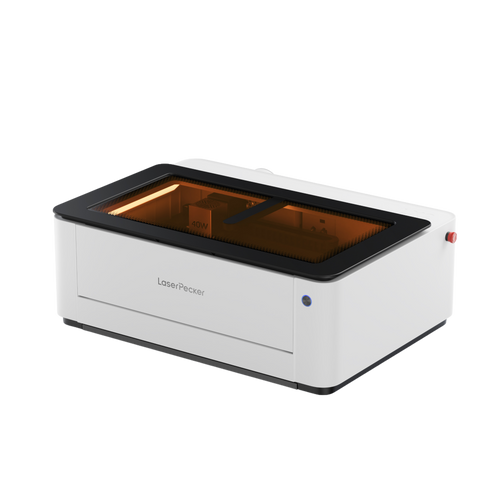
Laser engraving is widely regarded in the UK as the most precise and professional method for customising Yeti cups. This technique permanently removes the powder coating or engraves directly into the stainless steel surface, making it ideal for personal names, business logos, and highly detailed designs.
What You'll Need for laser engraving Yeti Cups:
- Fibre laser engraving machine
- Yeti cup (powder-coated versions offer higher contrast results)
- Rotary Extension (to rotate the cup smoothly during engraving)
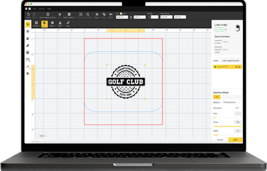
- Design software (e.g., LightBurn, LaserPecker Software & App)
Steps to Engrave a Yeti Cup with a Fibre Laser
Step 1: Create Your Design
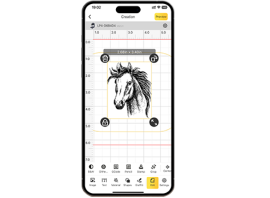
Use your design software to prepare text or graphics. Make sure the design is correctly sized to fit the curved engraving area of the cup.
Step 2: Prepare the Cup
Clean the surface with alcohol to remove dust and oils. Secure the cup on the rotary attachment.
Step 3: Choose the Right Fibre Laser Engraver
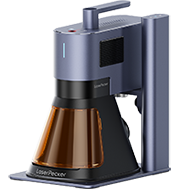
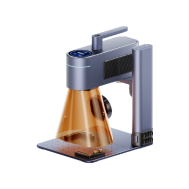
For stainless steel drinkware like Yeti cups, a fibre laser engraver is essential. Machines such as the LaserPecker LP5 are designed specifically for metal engraving and offer the speed and precision required for curved surfaces.
With engraving speeds of up to 10,000 mm/s, the LP5 allows efficient processing while maintaining fine detail. It also supports colour engraving on stainless steel Yeti cups, enabling more visually distinctive results beyond standard monochrome marking. In addition, its wide range of compatible accessories—such as rotary attachments and other positioning tools—makes it adaptable to different cup sizes and engraving scenarios.
Step 4: Configure Laser Settings
Select appropriate power, speed, and focus settings based on the cup's coating and the fibre laser specifications. Make sure rotary mode is enabled in the software.
Step 5: Start Engraving
Run the job and monitor for accuracy and safety. Pause if adjustments are needed
Step 6: Post-Engraving Cleanup
Wipe down the cup to remove residue. Optionally polish or apply finishing touches.
Advantages and Limitations of Laser Engraving Yeti Cups
Advantages:
Extremely precise and permanent engraving results
Works effectively on powder-coated and bare stainless steel
Ideal for logos, intricate artwork, and batch production
Limitations:
Requires specialised and relatively expensive equipment
Method 2: Engrave Yeti Cups with a Rotary Tool or Engraving Pen
Using a rotary tool or an electric engraving pen is a hands-on and budget-friendly way to personalise a Yeti cup. This method is well suited to UK DIY enthusiasts who want to engrave names, simple illustrations, or decorative patterns manually — without the need for software or specialised machines.
Required Tools:
- Rotary tool or electric engraving pen
- Yeti cup (ideally stainless steel or powder-coated)
- Clamp, vise, or non-slip mat
- Polishing cloth or fine sandpaper
Steps to Engrave a Yeti Cup with a Rotary Tool
Step 1: Plan Your Design
Draw your design directly onto the cup with a marker, or use a stencil as a guide.
Step 2: Secure the Cup
Place the Yeti in a clamp or on a non-slip mat to keep it steady during engraving.
Step 3: Choose the Right Bit
Attach a fine engraving bit that's suited for metal surfaces.
Step 4: Start Engraving
Hold the tool like a pen and slowly trace your design with light, steady pressure. Don't force the bit—let it glide naturally.
Step 5: Clean and Finish
Wipe down the surface to remove dust and metal particles. Optionally polish the area for a cleaner look.
Advantages and Limitations of Using a Rotary Tool on Yeti Cups
Advantages:
Affordable and widely accessible for home users
No software, programming, or machine setup required
Ideal for simple designs and casual DIY projects
Limitations
Requires a steady hand and practice to achieve clean results
Less precise than laser or CNC engraving methods
Time-consuming for detailed or complex designs
Inconsistent depth or line clarity may occur
Method 3: Engrave Yeti Cups with a Rotary CNC
Using a rotary CNC machine is a highly precise and automated solution for engraving cylindrical items such as Yeti cups. By integrating a rotary (4th) axis, the CNC machine rotates the cup during engraving, ensuring consistent depth and alignment throughout the entire design.
Required Tools:
- Desktop CNC router or mill with a rotary axis (4th axis)
- CAM/CAD software
- Engraving bit (e.g., V-bit or carbide bit for metal)
- Yeti cup (stainless steel, powder-coated)
Steps to Engrave a Yeti Cup with a Rotary CNC
Step 1: Create the Design
Use CAD software to design your text or graphics. Convert the file to a toolpath using CAM software with rotary support.
Step 2: Mount the Yeti Cup
Secure the cup horizontally using the rotary axis. Ensure it's tightly gripped and centered.
Step 3: Install the Engraving Bit
Insert the correct bit and zero it to the surface of the cup. Align the X, Y, and rotary axis (A-axis).
Step 4: Set Material Parameters
Choose the right speed, feed rate, and depth of cut based on the material (e.g., slower speeds for stainless steel).
Step 5: Start the Engraving Job
Run the program and let the CNC machine rotate and engrave the design automatically.
Step 6: Clean and Finish
After engraving, brush off debris and wipe the cup clean. Optional: polish or apply a protective coating
Advantages and Limitations of Rotary CNC Engraving
Advantages:
Very precise and highly repeatable results
Produces durable, long-lasting engravings
Ideal for production runs and consistent branding
Limitations
High upfront cost for the CNC machine and rotary axis upgrade
Requires solid knowledge of CAD/CAM software
Setup, alignment, and calibration can be time-consuming
Method 4: Engrave Yeti Cups via Citristrip and Cricut
This method combines Citristrip paint remover with a Cricut cutting machine to create a faux-engraved effect on powder-coated Yeti cups. While it doesn't engrave the metal itself, it removes the powder coating in a controlled design, revealing the stainless steel underneath.
For UK DIY enthusiasts who don't have access to a laser engraver or CNC machine, this approach offers a low-cost and creative alternative for personal projects.
Required Tools:
- Cricut Maker
- Adhesive vinyl
- Transfer tape
- Citristrip paint remover gel
- Yeti cup (must be powder-coated)
Steps to "Engrave" a Yeti Cup Using Citristrip + Cricut
Step 1: Design Your Stencil
Create or import your design in Cricut Design Space and cut it out on adhesive vinyl.
Step 2: Apply the Stencil to the Cup
Weed the vinyl and use transfer tape to place the stencil onto the cup. Press firmly and seal the edges to prevent leaks.
Step 3: Mask Off the Rest of the Cup
Use painter's tape to protect any exposed areas you don't want affected.
Step 4: Apply Citristrip
Wearing gloves, use a brush or cotton swab to spread a thin layer of Citristrip over the exposed design area.
Step 5: Wait and Remove Coating
Let it sit for 30–60 minutes. Then gently scrape or wipe off the softened powder coating to reveal the metal underneath.
Step 6: Clean Up
Peel off the stencil, clean the cup with water or alcohol, and polish if desired.
Advantages and Limitations of Using Citristrip with a Cricut
Advantages:
Low-cost and beginner-friendly DIY solution
Allows custom designs using only a Cricut machine
No specialised engraving equipment required
Limitations
Only suitable for powder-coated cups (not bare metal)
Not true engraving — the design is surface-level
Requires careful masking to avoid uneven edges
FAQs about Engraving Yeti Cups
Q1: What is the best way to engrave a Yeti cup at home in the UK?
For home use in the UK, laser engraving offers the cleanest and most permanent results if you have access to the equipment. For simpler DIY projects, rotary tools or the Cricut and Citristrip method are more accessible alternatives.
Q2: Can you laser engrave Yeti cups safely indoors?
Yes, laser engraving can be done indoors if proper safety measures are in place, such as using an enclosed machine, wearing eye protection, and ensuring adequate ventilation or an air purifier.
Q3: Does engraving damage the insulation of a Yeti cup?
No. All engraving methods discussed — laser, CNC, rotary tools, or Citristrip — only affect the outer surface and do not compromise the vacuum insulation inside the cup.
Q4: Which engraving method is best for logos and business branding?
For logos and repeat branding, laser engraving or rotary CNC engraving is recommended due to their precision, consistency, and professional finish.
Q5: Can you engrave any Yeti cup, or only powder-coated ones?
Laser and CNC engraving work on both powder-coated and bare stainless steel Yeti cups. The Citristrip and Cricut method, however, only works on powder-coated surfaces.
Conclusion
Engraving a Yeti cup can be as simple or as professional as you need it to be. For users in the UK, laser engraving and rotary CNC machines offer the most precise and durable results, making them ideal for workshops, small businesses, and repeat branding projects.
If you're working from home or creating a one-off personalised gift, rotary tools or the Citristrip and Cricut method provide accessible DIY alternatives. Each method differs in precision, cost, and setup — so the best choice depends on your tools, experience level, and the finish you want to achieve.