































Signs serve many purposes. They provide directions, identify locations, and strengthen brand presence. Effective signage must be clear, durable, and visually appealing. Laser cutting has become a widely used method for producing high-quality signs because it offers precision, material versatility, and a clean finish that is difficult to achieve with traditional cutting tools.
This guide explains why laser cutting is well suited to sign making, how it compares with other production methods, which materials perform best, and the practical steps involved in creating your own laser-cut signs.

In this article:
- Part 1: Why Laser Cutting is Widely Used for Sign Making
- Part 2: Why Laser Cutting Outperforms Other Sign Cutting Methods
- Part 3: Choose the Right Materials for Laser-Cut Signs
- Part 4: Step-by-Step Guide to Laser Cutting Signs
- Part 5: Applications of Laser-Cut Signs
- Part 6: FAQs about Laser-Cut Signs
Part 1: Why Laser Cutting is Widely Used for Sign Making
Laser cutting has become a widely adopted method for producing signs due to its precision, efficiency, and design flexibility. Traditional cutting methods, particularly manual techniques, often result in uneven edges and require additional finishing work to achieve a professional appearance.
In contrast, laser cutting delivers clean, smooth edges directly from the machine, reducing post-processing time and improving overall production efficiency. The process is digitally controlled, ensuring that each sign produced matches the original design exactly. This level of consistency is particularly valuable for businesses that require uniform branding across multiple locations or campaigns.
Whether producing a single sign for a local shop or manufacturing a large batch for an event, laser cutting provides reliable and repeatable results. Its scalability makes it suitable for both small-scale projects and larger commercial applications while maintaining a high standard of finish.

Part 2: Why Laser Cutting Outperforms Other Sign Cutting Methods
Signs can be produced using a range of methods, including manual cutting, CNC milling, die cutting, and waterjet cutting. While these techniques are still widely used, they may involve longer setup times, higher operational costs, or material limitations depending on the process.
Laser cutting differs from traditional mechanical methods because it does not rely on physical blades that wear down over time. This reduces maintenance and ensures consistent cutting performance. It is particularly effective for producing intricate details and fine lettering, while remaining compatible with a wide variety of materials. As a result, laser cutting offers a cleaner finish, greater flexibility, and improved efficiency compared with many conventional approaches.
Product Insight - Laser Cutting Signs
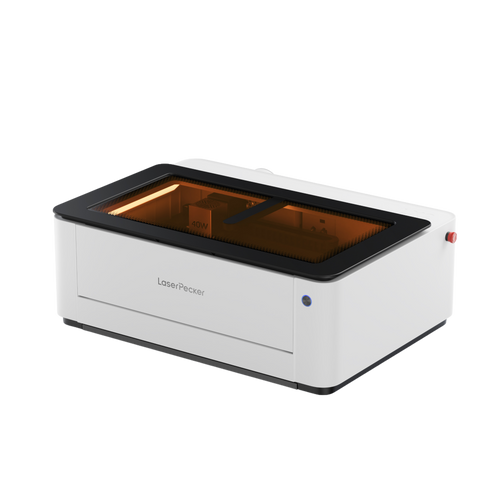
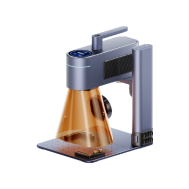
To see the advantages of laser cutting, we can examine a contemporary dual-laser system, like LaserPecker LP5, designed for both engraving and cutting. This type of system integrates a 20W fibre laser and a 20W diode laser within a single unit, allowing users to process a broader range of sign materials without switching machines.
Feature 1: Accuracy and Speed
Precision is a critical factor in professional sign production. Systems such as the LP5 offer engraving accuracy down to 0.0027 mm, ensuring that small text, logos, and intricate design elements remain sharp and legible. This is especially important for branding where clarity and consistency are essential.
Speed also plays a key role in commercial workflows. With engraving speeds of up to 10,000 mm/s, projects can be completed efficiently. This is particularly beneficial for businesses operating under tight deadlines, such as retailers preparing promotional displays or event organisers requiring multiple signs.
Feature 2: Material Versatility
A dual-laser configuration significantly expands material compatibility:
- Fibre laser: capable of cutting thin metal sheets such as stainless steel, brass, aluminium, and titanium up to approximately 1 mm thick. This makes it suitable for durable outdoor signage and identification plates.
- Diode laser: effective for cutting and engraving materials such as wood, acrylic, and certain plastics. It can process wood up to 20 mm thick and acrylic up to 15 mm thick while producing smooth edges that require minimal finishing.
Having both laser sources within one system allows sign makers to combine materials more easily. For example, acrylic lettering can be paired with a metal nameplate and mounted onto a wooden backing, all produced using the same machine.
Feature 3: Efficient Workflow
Modern dual-laser systems are designed to support efficient production. Features such as preview modes allow users to confirm positioning before cutting, reducing the risk of errors.
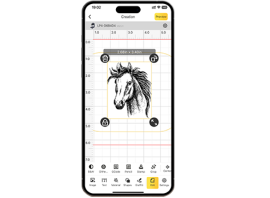
Compatibility with design software such as LightBurn, along with mobile app control, simplifies parameter adjustments and project management.
Compact dimensions (around 6 kg in weight) make these machines suitable for small workshops, studios, or businesses with limited workspace. Portability can also be advantageous for designers working across different locations.
By combining precision, speed, and material flexibility, dual-laser systems provide a highly adaptable solution for modern sign making, from single custom pieces to larger commercial orders.
Part 3: Choosing the Right Materials for Laser-Cut Signs
Choosing the appropriate material is essential for achieving the desired appearance, durability, and performance of a laser-cut sign. The right choice depends on where the sign will be installed, how long it is expected to last, and the visual style required.
Acrylic
Acrylic is available in a wide range of colours, finishes, and transparency levels. It is lightweight, weather-resistant, and particularly suitable for illuminated or backlit signage. When laser cut, acrylic produces smooth, polished edges that typically require little to no additional finishing. This makes it a popular choice for retail displays, office signage, and contemporary branding applications.
Wood
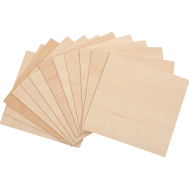
Wood materials such as plywood, MDF, and solid hardwood are ideal for signs that require a natural or rustic aesthetic. They cut cleanly with a laser and can also be engraved to add decorative details, textures, or branding elements. Wood is commonly used for interior signage, hospitality venues, and decorative wall signs.

Metal
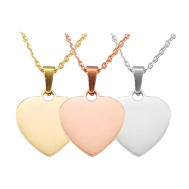
Metals such as stainless steel, aluminium, and brass offer strength and a modern, professional appearance. Thin sheets can be laser cut with high precision, making them suitable for detailed lettering and durable outdoor signage. Metal signs are often chosen for corporate environments, industrial settings, and exterior installations due to their longevity and resistance to weather exposure.
Plastic and Composites
Various plastics and composite materials provide a cost-effective and lightweight alternative to metal or glass. Many of these materials can replicate the appearance of more expensive finishes while remaining easier and less expensive to produce. They are suitable for both temporary and semi-permanent signage applications.
Paperboard and Cardboard
Paperboard and cardboard are best suited to short-term signage, such as event displays, promotional materials, or prototype designs. They are inexpensive, easy to cut, and ideal for testing layouts before committing to more durable materials.
Ultimately, material selection should be based on installation location, expected lifespan, environmental exposure, and the intended visual impact of the sign.
Part 4: Step-by-Step Guide to Laser Cutting Signs
Making a laser-cut sign might look hard at the start, but if you split it into easy steps, anyone can do it. If you follow the steps, your signs will look sharp and great. Here's how to laser-cut signs to get you going:
Step 1: Define the Purpose
Start by identifying the purpose of the sign. Is it intended for branding, decorative use, wayfinding, or a temporary event? The intended use will influence the material choice, size, and level of durability required.
Step 2: Create the Design
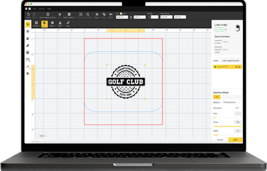
Prepare your artwork using vector file formats such as SVG or DXF for cutting paths. Raster images can be used for engraving elements. Ensure the design is clean, properly scaled, and suitable for resizing without losing clarity.
Step 3: Prepare the Material
Select the appropriate material based on the application. Before placing it in the machine, clean the surface to remove dust, grease, or protective residues that could affect cutting quality.
Step 4: Configure the Laser Settings
Adjust power, speed, frequency (if applicable), and focus according to the material type and thickness. Performing small test cuts or engravings is recommended to confirm optimal settings before beginning the final job.
Step 5: Secure and Align the Material
Position the material firmly on the laser bed to prevent movement during operation. Use the preview or framing function to verify correct alignment and placement.
Step 6: Begin Cutting or Engraving
Start the cutting process and observe the initial passes to ensure edges are forming cleanly. Maintain proper ventilation or air assist during operation to improve cut quality and ensure safe working conditions.
Step 7: Post-Processing and Finishing
Once complete, remove any protective films and clean the surface. Depending on the material, you may wish to lightly sand edges, apply paint, or add surface treatments for enhanced appearance and durability.
Step 8: Assembly and Installation
If the sign consists of multiple layers, assemble them using suitable adhesives or fasteners. Add mounting hardware as required and conduct a final inspection to ensure structural stability and visual quality.

Part 5: Applications of Laser-Cut Signs
Laser-cut signs are highly versatile and suitable for a wide range of environments. In addition to providing wayfinding and identification, they enhance visual appeal and reinforce brand identity. Retail spaces, educational institutions, hospitality venues, and corporate environments all benefit from the precision and design flexibility that laser-cut signage offers.
Below is an overview of how different sectors commonly apply laser-cut signs:
Application Sectors for Laser-Cut Signs
| Application Sector | Typical Examples |
|---|---|
| Retail | Store logos, window displays, promotional signage |
| Corporate | Reception signage, company nameplates, directional signs |
| Events | Wedding signage, exhibition displays, customised event branding |
| Hospitality | Menus, decorative wall features, illuminated signage |
| Public Spaces | Safety signs, wayfinding systems, access identification |
| Education | Classroom labels, laboratory signs, campus maps |
| Art & Design | Installations, decorative panels, bespoke art pieces |
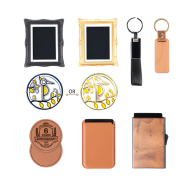
| Promotional Use | Branded keyrings, plaques, desk name signs |
Laser-cut signage supports both functional and creative applications. Whether for daily operational use or decorative purposes, it provides businesses, institutions, and designers with a flexible and professional solution.
Part 6: FAQs about Laser-Cut Signs
Q1. Can laser cutters handle all materials?
Laser cutters are highly versatile, but not every material is suitable. Wood, acrylic, many plastics, and thin metal sheets are commonly processed with excellent results. Some advanced systems support both metal and non-metal materials within the same unit.
However, materials such as PVC should be avoided, as they release hazardous fumes when cut. Selecting the appropriate laser system ensures compatibility with most standard sign-making materials.
Q2. How precise are laser-cut signs?
Laser systems offer extremely high precision, enabling accurate reproduction of intricate designs, fine typography, and detailed logos. Edges are clean and consistent, ensuring repeatable quality across multiple signs.
This precision is particularly valuable for businesses that require consistent branding at different sizes and across various locations.
Q3. Are laser-cut signs suitable for outdoor use?
Yes, provided that suitable materials are selected. Acrylic and metals such as stainless steel or aluminium perform well in outdoor environments, resisting weather exposure and temperature changes.
Wood can also be used outdoors if properly sealed and treated. Laser cutting produces clean edges, which helps reduce material degradation over time.
Q4. Is laser cutting cost-effective?
Although laser systems require an initial investment, the process is efficient and reduces labour, material waste, and post-processing time. High precision minimises production errors, and fast processing speeds improve output efficiency.
For regular sign production, laser cutting can be more economical than traditional fabrication methods.
Q5. What thickness of material can a laser cutter handle for signage?
Material thickness depends on the laser type and power output. Diode lasers commonly cut wood and acrylic in moderate thicknesses, while fibre lasers can cut thin metal sheets.
Always refer to manufacturer specifications and conduct test cuts for optimal results.
Q6. Do laser-cut signs require additional finishing?
In many cases, minimal finishing is required. Acrylic often produces polished edges directly from the machine, while wood may require light sanding or sealing depending on the intended finish.
Metal signs may benefit from surface treatment for corrosion resistance in outdoor settings.
Q7. Is special training required to operate a laser cutter?
Basic training is recommended to ensure safe and effective operation. Most modern systems are user-friendly and compatible with common design software.
With proper setup and adherence to safety guidelines, both beginners and professionals can operate laser systems successfully.
Part 6: FAQs about Laser-Cut Signs
Laser cutting offers a precise, efficient, and versatile solution for modern sign making. With clean edges, consistent results, and compatibility with various materials, it outperforms many traditional cutting methods. By choosing the right materials and following proper workflows, both beginners and professionals can create high-quality signs for branding, decoration, and commercial use.