





























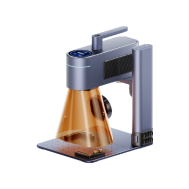


Custom knife engraving is a popular way to add personal, professional, or decorative value to a blade. Whether you're customising a pocket knife, chef's knife, hunting knife, or collector's piece, there are several engraving methods available, including hand engraving, chemical etching, CNC engraving, and laser engraving.
Each method offers different levels of precision, durability, cost, and ease of use. Among them, laser engraving has become a preferred choice for hobbyists, makers, outdoor enthusiasts, and small businesses thanks to its accuracy, speed, and ability to create highly detailed designs on metal, wood, leather, and coated materials.
In this guide, we'll compare knife engraving methods, explain how laser engraving works, and show you how to create professional-quality customised knives with a laser engraver.

In this article:
- Part 1: Understanding Knife Laser Engraving
- 1.1 What Is Knife Laser Engraving?
- 1.2 How Does Laser Engraving Work on a Knife?
- 1.3 Which Laser Engraver Is Best for Knife Engraving?
- 1.4 Safety Considerations Before Engraving Knives
- Part 2: Why Choose Laser Engraving for Knives
- Case Study: How to Laser Engrave a Knife in 5 Simple Steps
- Part 4: Best Knife Engraving Ideas and Applications
- Part 5: FAQs About Knife Laser Engraving
Part 1: Understanding Knife Laser Engraving
1.1 What Is Knife Laser Engraving?
Knife laser engraving is a modern customisation method that uses a highly focused laser beam to permanently mark designs onto a knife blade or handle. Whether you want to engrave text, logos, artwork, serial numbers, or decorative patterns directly onto a knife blade or handle, laser technology delivers exceptional precision without physically contacting the surface.
Compared with hand engraving, chemical etching, or mechanical engraving, laser engraving offers cleaner detail, greater consistency, and faster production times. This makes it a popular solution for both hobbyists and professional knife makers.
Common applications include:
- Personalised gifts and commemorative knives
- Company branding and logo marking
- Custom tactical and EDC knives
- Chef's knife identification
- Outdoor and hunting gear customisation
- Collector and display knife artwork

1.2 How Does Laser Engraving Work on a Knife?
Laser engraving works by directing a concentrated beam of light onto the knife's surface. The laser generates controlled heat that removes or alters a thin layer of material, creating a permanent and highly visible mark.
Different knife materials respond differently to laser engraving:
| Material | Typical Engraving Result |
| Stainless Steel | Crisp black markings, fine details, or deep engraved effects |
| Titanium | Detailed textures, precise markings, and unique colour effects |
| Coated Blades | High-contrast designs created by removing the surface coating |
| Wooden Handles | Natural burnt effects with strong visual character and custom patterns |
| Leather Sheaths | Decorative designs, personalised names, logos, and detailed artwork |
Because laser engraving is a non-contact process, there is no mechanical pressure on the blade. This helps preserve edge sharpness, surface finish, and overall knife integrity.
For users in the UK who customise knives for outdoor activities, culinary use, or collecting, laser engraving offers a durable and professional-looking finish that withstands everyday use.

1.3 Which Laser Engraver Is Best for Knife Engraving?
Choosing the right laser engraver depends largely on the materials you plan to engrave. Since most knives are manufactured from stainless steel, carbon steel, titanium, or coated metals, fibre laser technology is widely regarded as the most effective solution.
Compared with diode lasers and traditional engraving methods, fibre lasers offer:
- Higher engraving precision on metal surfaces
- Faster marking speeds
- Greater detail for logos and artwork
- Long-lasting, wear-resistant results
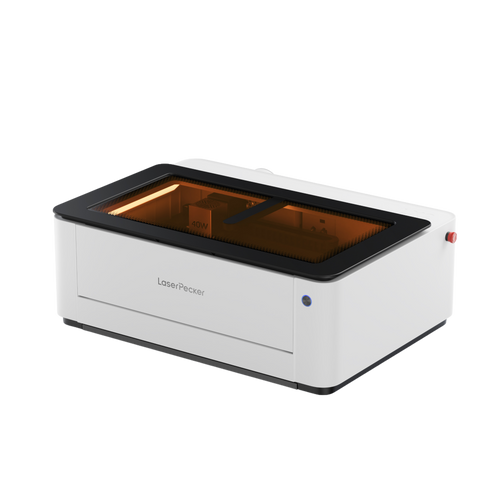
For home workshops, small businesses, and custom knife projects, the LP5 and LP4 are excellent choices. These knife laser engraving machines combine professional engraving performance with user-friendly operation and a compact footprint, making them ideal for personalisation, small-batch production, and gift creation.

1.4 Safety Considerations Before Engraving Knives
Knife engraving requires extra care because blades are both sharp and highly reflective.
Before starting any engraving project, follow these essential safety practices:
- Wear appropriate laser safety protection to reduce exposure to reflected laser light.
- Secure the knife firmly to prevent movement during engraving.
- Ensure adequate ventilation when engraving coated metals, painted surfaces, or oiled materials.
- Avoid engraving close to cutting edges to maintain blade strength and safe handling.
- Keep hands clear during setup and positioning of sharpened blades.
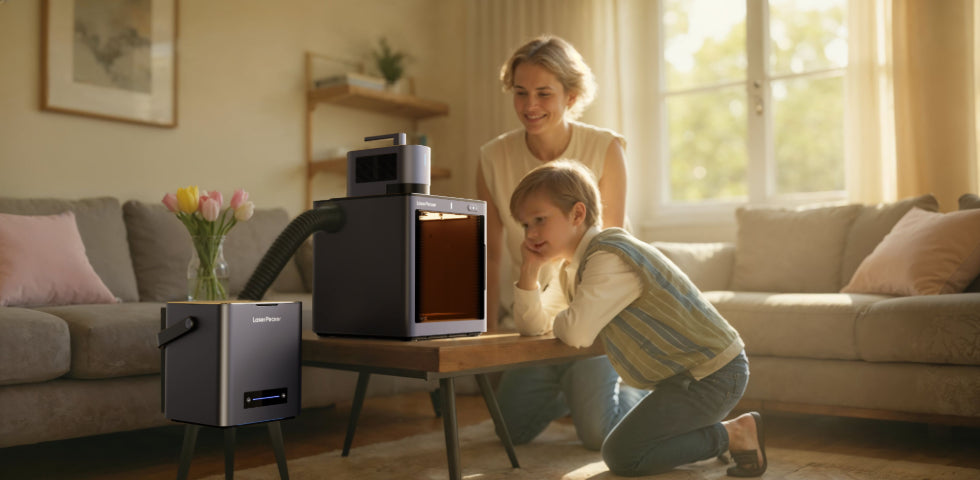
For added peace of mind, many users prefer laser systems that incorporate advanced safety features. Class 1 laser-safe machines, such as the LP5 Safeguard, offer an additional layer of protection for indoor workshops and home-based makers.
Part 2: Why Choose Laser Engraving for Knives?
① Permanent Markings
Unlike printed graphics or surface coatings, laser engraved designs become part of the material itself. Names, logos, serial numbers, and artwork remain visible even after years of regular use.
This makes laser engraving an excellent choice for:
- Everyday carry (EDC) knives
- Kitchen and chef's knives
- Hunting and outdoor knives
- Tactical equipment
- Corporate gifts and branded products
② Exceptional Precision on Small Surfaces
Knife blades often provide limited space for customisation. Laser technology can reproduce intricate details with remarkable clarity, even on compact surfaces.
Common engraving projects include:
- Company logos
- Serial numbers
- Signatures
- Monograms
- Detailed artwork
- Custom text and quotes
This level of precision is difficult to achieve consistently with manual engraving methods.
③ Fast and Efficient Production
Once a design has been prepared, most knife engraving projects can be completed within minutes.
This efficiency benefits:
- Hobbyists creating personalised gifts
- Small businesses producing custom orders
- Knife makers adding branding to products
- Retailers offering on-demand engraving services
④ Compatible with a Wide Range of Materials
One of the biggest advantages of laser engraving is its versatility.
Modern laser engravers can customise:
- Stainless steel knives
- Carbon steel knives
- Titanium knives
- Anodised aluminium handles
- Wooden knife handles
- Leather sheaths
- Coated tactical blades
For UK users looking for a compact yet capable solution, portable fibre laser systems such as the LP5 provide professional-quality engraving on many of these materials while remaining suitable for home workshops and small businesses.
Case Study: How to Laser Engrave a Knife in 5 Simple Steps
Knife Laser Engraving Checklist
- Engraving Material: Knife blade or knife handle
- Laser Engraver: Fibre laser engraver or dual-laser engraver
- Engraving Design: Logo, name, artwork, signature, pattern, QR code, or serial number
Can you laser engrave a knife?
Absolutely. Modern laser engravers can permanently customise stainless steel, titanium, wood, leather, and coated knife surfaces with exceptional precision.
Step 1: Prepare Your Knife Engraving Design
Create or import the artwork you want to engrave. Vector file formats such as SVG, AI, and DXF typically produce the sharpest and most accurate results.
Popular knife engraving ideas include:
- Names and initials
- Outdoor and tactical logos
- Custom artwork
- Military insignias
- Serial numbers
- Family crests
- Personal gift messages
Taking time to prepare a high-quality design will help ensure clean engraving and professional-looking results.
Step 2: Choose the Right Laser Engraver for Knife Engraving
Selecting the right machine is one of the most important factors in achieving high-quality knife engravings.
For metal blades, wooden handles, leather sheaths, and coated surfaces, the LaserPecker LP5 offers excellent versatility thanks to its dual-laser design.
-
20W Fibre + 20W Diode Dual-Laser System
The LP5 combines a fibre laser for engraving metals with a diode laser for organic materials such as wood and leather. This allows users to customise knife blades, handles, and sheaths using a single machine. -
Ultra-Fast 10,000 mm/s Engraving Speed
Its galvo-based system enables rapid engraving of logos, signatures, serial numbers, and detailed artwork while maintaining excellent accuracy. -
Professional Detail on Compact Surfaces
Knife blades often provide limited engraving space. The LP5 is capable of producing highly detailed markings, making it ideal for intricate designs and fine text. -
Compact and Workshop-Friendly Design
Its portable desktop format makes it well suited for UK home workshops, personalised gift businesses, outdoor gear makers, and independent knife customisation services. -
Enhanced Laser Safety for Indoor Use
For users who prioritise safety, pairing the LP5 with the LaserPecker LP5 Safety Enclosure creates a Class 1 Laser Safety setup, helping provide a safer engraving environment for workshops and home-based creators.
Step 3: Position and Secure the Knife
Place the knife securely within the engraving area and ensure the blade or handle remains completely stable throughout the process.
For highly reflective metal surfaces, carefully check the laser focus and positioning before starting.
Proper alignment helps improve engraving accuracy and reduces the risk of errors.
Step 4: Configure Your Engraving Settings
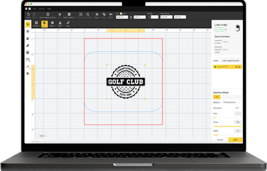
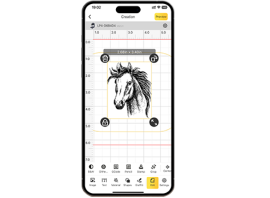
Use the LaserPecker design software or compatible third-party design tools to prepare your artwork.
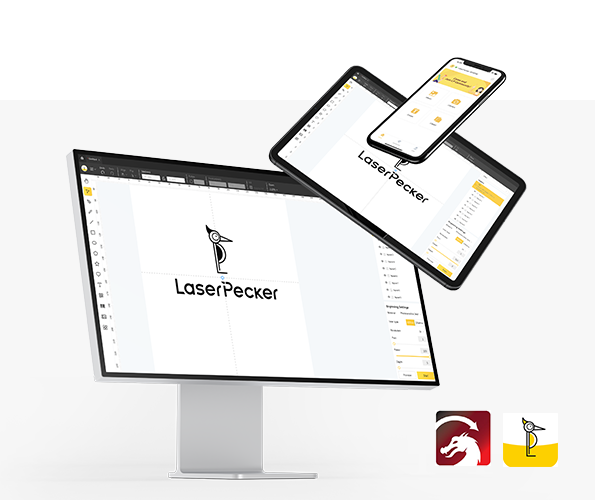
Then follow these steps:
- Connect the laser engraver to your computer or mobile device.
- Import the engraving file.
- Activate Preview Mode to verify positioning.
- Adjust the size and orientation to fit the knife surface.
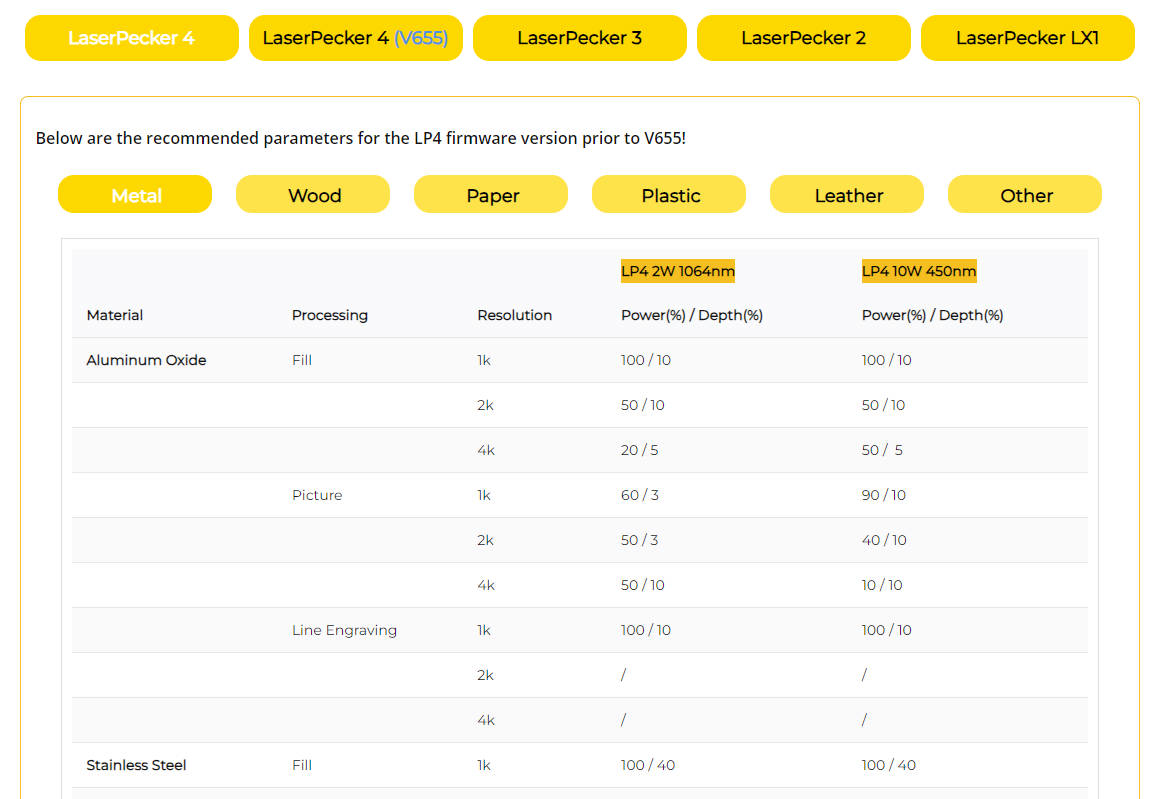
- Configure power, speed, and resolution settings based on the material.

For stainless steel knife engraving, a common LP5 starting setup is:
- Laser: 20W 1064nm Fibre Laser
- Resolution: 2K
- Power: 100%
- Depth: 15%
- Passes: 1
Always wear appropriate laser safety eyewear and ensure adequate ventilation during operation.
When engraving coated blades, treated materials, or oily surfaces, smoke and odours may be produced. For indoor workshops, the LaserPecker Desktop Smoke Purifier can help filter fumes and airborne particles, creating a cleaner and more comfortable working environment.
Step 5: Start Engraving Your Knife
Before beginning, double-check:
- Material selection
- Laser settings
- Focus distance
- Engraving alignment
Once engraving starts, monitor the process carefully.
Most knife engraving projects are completed within a few minutes, depending on the size and complexity of the design.
After engraving, gently clean the surface with a soft microfibre cloth and inspect the final result.
Part 4: Best Knife Engraving Ideas & Applications
Laser engraving opens up countless possibilities for knife personalisation, professional branding, and creative customisation. Whether you're engraving a single gift knife or producing knives for sale, these are some of the most popular applications.
① Personalised Gift Knives
Custom engraved knives are a memorable gift for a wide range of occasions. Adding a name, initials, meaningful date, or personal message transforms an ordinary knife into a unique keepsake.
Popular occasions include:
- Birthdays
- Weddings
- Anniversaries
- Father's Day
- Christmas gifts
- Retirement celebrations
For UK gift makers and online sellers, laser engraving offers a fast and professional way to create personalised products with lasting value.
② Tactical and Outdoor Branding
Outdoor enthusiasts and tactical gear brands often use laser engraving to add functional and decorative markings to knives.
Common examples include:
- Brand logos
- Serial numbers
- Survival references
- Unit insignias
- Equipment identification markings
Because laser engraving produces durable, wear-resistant markings, it is particularly suitable for knives used in demanding outdoor environments.
③ Chef's Knife Customisation
Professional chefs, culinary students, and restaurant owners frequently personalise their kitchen knives for identification and branding purposes.
Popular engraving options include:
- Chef names
- Initials
- Restaurant logos
- Professional titles
- Custom graphics
Laser engraving creates clean, precise markings without affecting the performance or balance of the knife.
④ Collector and Decorative Knives
Collectors and knife artisans often use laser engraving to enhance the visual appeal of display pieces and limited-edition knives.
Popular decorative designs include:
- Celtic patterns
- Wildlife artwork
- Fantasy themes
- Historical motifs
- Detailed scrollwork
- Custom illustrations
The high precision of laser engraving makes it possible to reproduce intricate artwork that would be difficult to achieve using traditional methods.
⑤ Small Business and Custom Production
Laser engraving is an excellent solution for:
- Etsy sellers
- Independent knife makers
- Gift shops
- Personalisation businesses
- Promotional product companies
Because designs can be reproduced quickly and consistently, laser engraving supports both one-off orders and small-batch production.
For UK-based makers looking to grow a customisation business, portable systems such as the LP5 provide a practical way to offer professional knife engraving services from a home workshop or small studio.
Part 5: FAQs About Knife Laser Engraving
Q1. Can you laser engrave a stainless steel knife?
Yes. Stainless steel is one of the most commonly engraved knife materials. Fibre laser engravers can create highly detailed logos, names, serial numbers, and artwork with excellent durability and contrast. This makes stainless steel ideal for personalised knives, professional kitchen knives, and outdoor equipment.
Q2. Does laser engraving weaken a knife blade?
No. Laser engraving only affects a very thin surface layer of the material and does not significantly impact the blade's structural strength when performed correctly. To maintain optimal performance, avoid engraving directly along the cutting edge.
Q3. What is the best laser engraver for knife engraving?
For metal knife engraving, fibre laser technology generally provides the best results. If you also want to engrave wooden handles, leather sheaths, or coated surfaces, a dual-laser system such as the LP5 offers greater versatility by combining fibre and diode laser capabilities in a single machine.
Q4. How long does it take to laser engrave a knife?
Most knife engraving projects take only a few minutes to complete, depending on the size and complexity of the design. Simple text engravings can often be finished in under five minutes, while detailed artwork may require longer.
Q5. Is laser knife engraving safe for home workshops?
Yes, provided appropriate safety precautions are followed. Always wear suitable laser safety eyewear, ensure proper ventilation, and secure the knife before engraving. For additional protection, pairing the LP5 with the LaserPecker LP5 Safety Enclosure provides a Class 1 Laser Safety setup suitable for indoor use.
Q6. Can I start a knife engraving business from home?
Absolutely. Many UK-based makers, Etsy sellers, and personalised gift businesses use laser engraving to offer custom knives. Portable systems with fast engraving speeds and professional-quality results make it possible to run a small-scale knife customisation business from a home workshop.
Conclusion
Knife laser engraving offers a practical way to combine craftsmanship, personalisation, and precision in a single customisation process. Whether you're creating a personalised gift, marking outdoor equipment, customising a chef's knife, or building a small engraving business, laser technology delivers durable, professional-quality results across a wide range of materials.
By choosing the right laser engraver, using appropriate settings, and following recommended safety practices, even beginners can achieve clean and consistent engravings. For UK makers, hobbyists, and small businesses, versatile systems such as the LP5 make it easy to engrave metal blades, wooden handles, and leather sheaths with a single machine. When paired with the LaserPecker LP5 Safety Enclosure and LaserPecker Desktop Smoke Purifier, users can also benefit from enhanced indoor safety and a more comfortable engraving environment.