































Phone cases do more than protect your device from everyday bumps and drops — they're also a simple way to express your personal style. Whether you prefer using online customisation tools or getting hands-on with DIY techniques, a plain phone case can easily be transformed into something unique.
In this article, we'll explore five practical methods for customising phone cases, from quick and beginner-friendly options to more advanced techniques. We'll also explain why laser engraving has become an increasingly popular choice for durable, professional-looking phone case designs.

In this article:
- Part 1: Why People Love Customised Phone Cases
- Part 2: Customise Phone Cases before Purchasing
- Part 3: Customise Phone Cases after Purchasing
- Method 1: Cricut
- Method 2: 3D Printer
- Method 3: UV Printer
- Method 4: Laser Engraver
- Part 4: How to Customise Phone Cases by Laser Engraving
- Part 5: Tips for Customised Phone Cases by Laser Engraving
- Part 6: FAQs about Customising Phone Cases
Part 1: Why People Love Customised Phone Cases
Customised phone cases are popular because they combine practicality with personal expression. Many people choose personalised cases because they allow them to:
- Express individuality through unique designs, images, or meaningful text
- Create thoughtful, personalised gifts for birthdays, holidays, or special occasions
- Protect their phones while still keeping a stylish and modern look
A customised phone case is not just an accessory — it's a functional item that reflects personal taste while offering everyday protection.

Part 2: Customise Phone Cases before Purchasing
One of the easiest ways to customise a phone case is to design it online before placing an order. Most platforms allow you to upload your artwork, preview the final look, and make adjustments in real time, helping you avoid surprises once the case arrives.
Printful:
Printful offers an online customisation tool that lets you design your phone case before purchasing. You can upload images, add text, and preview how the design will appear on the finished case. This approach is ideal if you want a straightforward, print-on-demand solution with predictable results.
Shutterfly:
Shutterfly provides an intuitive design interface that makes it easy to personalise phone cases using photos, quotes, or patterns. The live preview feature allows you to see exactly how your design will look, making it a popular choice for photo-based or gift-oriented phone case customisation.

Part 3: Customise Phone Cases after Purchasing
Once you've bought a phone case, there are still plenty of ways to personalise it. From simple DIY options to professional-grade techniques, these methods vary in cost, skill level, and durability.
Method 1: Customise Phone Cases with Cricut
A Cricut cutting machine is a popular choice for DIY enthusiasts who want flexible, low-cost customisation using vinyl decals.
How it works:
You create a design using Cricut software, cut it from vinyl, and apply it to your phone case using transfer tape.
Why choose this method
Affordable and beginner-friendly
Highly flexible for text, icons, and patterns
Easy to remove or replace designs
Limitations
Vinyl decals may peel over time with heavy daily use. Applying a clear protective spray can improve durability.
Method 2: Customise Phone Cases with 3D Printer
3D printing allows you to design and manufacture an entirely new phone case from scratch.
How it works:
Using CAD software, you design a case that fits your phone model precisely, then print it using materials such as PLA or TPU.
Why choose this method
Complete design freedom, including textures and grips
Ideal for truly unique or functional case designs
Limitations
Requires design skills and a suitable printer. Material choice affects durability and flexibility.
Method 3: Customise Phone Cases with UV Printer
UV printing is a professional method used for full-colour, high-resolution phone case designs.
How it works:
UV ink is printed directly onto the case surface and instantly cured with UV light, creating a durable finish.
Why choose this method
Photo-quality, full-colour results
Scratch-resistant and fade-resistant
Ideal for logos and detailed artwork
Limitations
UV printers are expensive and usually found in print shops or small production studios.
Method 4: Customise Phone Cases with Laser Engraver
Laser engraving creates permanent, precise designs directly on the phone case surface, delivering a premium finish.
How it works:
A focused laser beam engraves the design into the case, with adjustable depth and contrast depending on the material.
Why choose this method
Permanent and highly durable results
Consistent quality for gifts or small-batch production
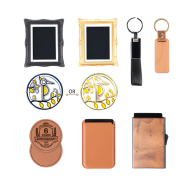
Works well on materials like metal, wood, and leather
What you can engrave:
- Patterns and Art: Shapes, modern art, or detailed drawings
- Classy: It makes any phone case feel fancy
- Flexible: Handles almost any design you can think of, from simple words to detailed pictures
- Reliable: Every engraving is exact, good for gifts or business.
Limitations
Engraving colour depends on the base material. Colour accents can be added using paint fills or coatings, but contrast and depth are the main visual strengths.
Comparison Table: Phone Case Customisation Methods
| Method | Cost | Complexity | Design Flexibility | Durability | Best For | Equipment Needed |
|---|---|---|---|---|---|---|
| Cricut (Vinyl Decals) | Low–Medium | Low | High (text, shapes, patterns) | Medium | Beginners, frequent design changes | Cricut machine, vinyl |
| 3D Printing | Medium–High | High | Very High (custom shapes, textures) | High (material-dependent) | Makers, advanced DIY users | 3D printer, filament |
| UV Printing | High | Medium–High | High (full-colour prints) | High | Professional designs, branding | UV printer, UV ink |
| Laser Engraving | Medium–High | Medium | High (detailed, elegant designs) | Very High | Premium gifts, small businesses | Laser engraver |
Part 4: How to Customise Phone Cases by Laser Engraving
Laser engraving is not just a technical process — it's a creative way to produce refined, long-lasting phone case designs. This method is especially popular for premium personalisation, gifts, and small-batch production.
Step 1: Choose the Right Phone Case
Laser engraving works best on materials such as silicone, hard plastic, leather, wood, and metal. A smooth, even surface helps achieve clean lines and consistent contrast.
Step 2: Prepare Your Design
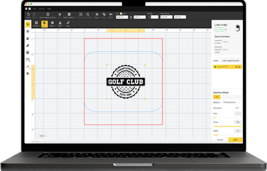
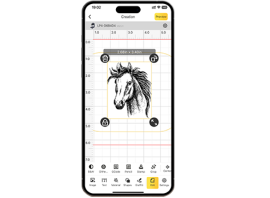
Create or import your artwork using graphic design software such as LaserPecker Design Space or LightBurn
- Vector files (SVG, AI) are ideal for sharp text and line work
- Bitmap images can be used for shaded or photographic effects
High contrast designs generally produce the best engraving results.
Step 3: Prep the Machine
Adjust laser power, speed, and focus based on the material. Secure the phone case firmly in place and use the preview or framing function to ensure accurate positioning before engraving.
Step 4: Start the Engraving Process
Begin engraving and allow the laser to mark the surface with precision. Monitor the process to ensure consistent depth and clarity.
Step 5: Clean and Finish
Remove any residue and inspect the engraving. A protective coating can be applied if desired. For leather cases, applying a conditioner after engraving helps maintain flexibility and appearance.

Choosing a Suitable Laser Engraving Machine for Phone Cases
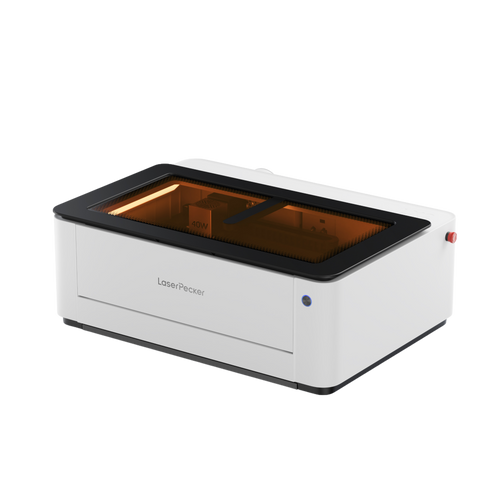
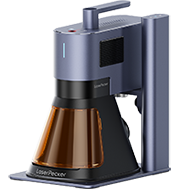
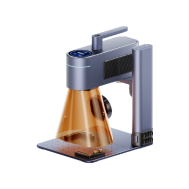
Selecting the right laser engraver is essential for achieving consistent and professional results. A dual-laser system, such as the LaserPecker LP4 Portable IR & Diode Laser, is a practical option for users who work with a variety of phone case materials.

Key Features to Look For
- Dual Laser Capability: A blue diode laser is suitable for materials like wood and plastics, while an infrared laser is ideal for metal and leather cases.
- Wide Material Compatibility: A versatile engraver should support hundreds of materials, including coated glass, fabrics, acrylic, and leather.
- High Speed and Precision: Fast engraving speeds combined with fine resolution help deliver clean, detailed designs efficiently — useful for both hobbyists and small businesses.
- User-Friendly Software Support: You can run it from a phone app or your computer. It also works with LightBurn for more complex designs.
- Compact and Batch-Friendly Design: A small footprint fits easily into home workshops, while optional extensions allow batch engraving for higher efficiency.
Part 5: Tips for Customised Phone Cases by Laser Engraving
Laser engraving offers excellent precision, but good results depend on careful setup and preparation. These tips will help you achieve clean, professional-looking engravings while avoiding common mistakes.
1. Start with Simple Designs
Begin with basic text, icons, or logos. Simple designs engrave more consistently and help you understand how different materials react before moving on to complex artwork.
2. Adjust Power and Depth Carefully
Laser power and speed directly affect engraving quality. Excessive power can damage the surface, while insufficient power may result in low contrast. Always follow material guidelines and make small adjustments as needed.
3. Always Use the Preview Function
Previewing your design ensures correct alignment and sizing on the phone case. This step helps prevent misplacement and reduces wasted materials.
4. Test Before Engraving the Final Case
Use spare or sample materials to fine-tune your settings. Testing allows you to adjust contrast, depth, and positioning before engraving the actual phone case.
5. Follow Proper Safety Practices
Wear appropriate laser safety glasses, ensure adequate ventilation, and use all safety features provided with your engraving equipment.
Part 6: FAQs about Customising Phone Cases
Q1. Can I Laser Engrave Any Type of Phone Case?
Not all phone cases are suitable for laser engraving. Materials such as hard plastic, wood, leather, and coated metals usually produce clean, long-lasting results. Soft cases like silicone or flexible TPU can also be engraved, but results may vary depending on thickness and surface finish. If you're unsure, testing on a small or hidden area is recommended.
Q2. Do I Need Professional Design Software to Customise Phone Cases?
Not necessarily. Many laser engravers and customisation platforms include beginner-friendly software that works well for basic text and simple graphics. However, for more advanced designs, layered artwork, or precise control, professional software such as Adobe Illustrator or LightBurn offers greater flexibility.
Q3. How Much Does It Cost to Customise a Phone Case?
Ordering a customised phone case online typically costs between £15 and £40, depending on the material and design complexity. DIY customisation requires a higher initial investment, as equipment such as Cricut machines, 3D printers, UV printers, or laser engravers can range from a few hundred to several thousand pounds. Over time, however, the cost per case decreases significantly — especially for batch production or resale.
Q4. Is Phone Case Customisation a Good Small Business Idea?
Yes, it can be a strong small business opportunity. Phone cases are always in demand and work well as personalised gifts or fashion accessories. Print-on-demand services offer a low-risk way to start, while in-house engraving or printing allows for premium, high-margin products. Many sellers succeed through platforms like Etsy, Shopify, or local craft markets.
Q5. Will Laser-Engraved Phone Cases Fade Over Time?
Laser-engraved designs do not fade in the traditional sense because the design is etched into the surface rather than printed on top. On materials like leather, wood, or coated metal, the engraving can last for years with normal use. Proper care — such as avoiding harsh chemicals — helps maintain contrast and appearance.
Q6. Can I Laser Engrave a Phone Case at Home in the UK?
Yes, many desktop laser engravers are suitable for home use in the UK. As long as you follow safety guidelines — including proper ventilation and laser safety eyewear — home engraving is both practical and widely used by hobbyists and small businesses.
Conclusion
Custom phone cases offer a practical way to combine personal style with everyday protection. Whether you choose an online print-on-demand service for speed and convenience, or prefer hands-on DIY methods, there is a customisation option to suit every skill level and creative goal.
Laser engraving stands out for its durability and refined finish, making it ideal for long-lasting designs and premium-looking results. With the right materials, tools, and a bit of creativity, a standard phone case can be transformed into a personalised accessory that reflects your style and stands up to daily use.