
































Paper cutting is a core technique used in crafts, design projects, and decorative artwork. From handmade greeting cards and scrapbooking to detailed paper illustrations and layered art, achieving clean cuts and precise shapes significantly improves the overall finish.
Different projects require different tools. Simple shapes may only need basic hand tools, while intricate or repetitive designs benefit from precision equipment. The right method depends on the level of detail required, the thickness of the paper or cardstock, and the tools available.
In this guide, we explore four creative approaches to paper cutting — ranging from traditional manual techniques to modern digital cutting systems. Understanding the strengths of each method will help you select the most suitable option for your project.

In this article:
- Method 1: Cut Paper with a Laser Cutting Machine
- Method 2: Cut Paper with a Craft Knife
- Method 3: Cut Paper with Scissors
- Method 4: Cut Paper with a Cricut Maker
Method 1: Cut Paper with a Laser Cutting Machine
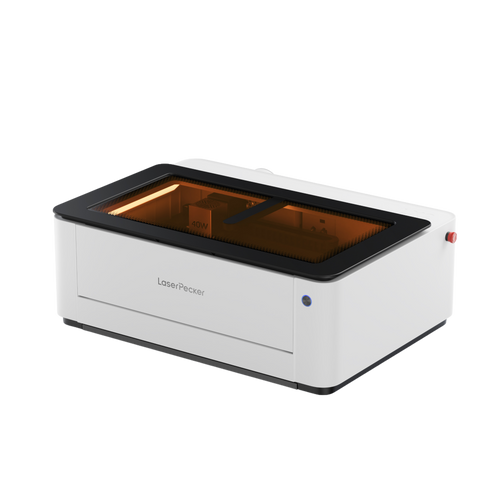
Using a laser cutting machine for paper allows exceptionally precise and intricate designs that would be difficult to achieve manually. This method is widely used in professional crafting, bespoke wedding stationery, detailed art projects, and commercial packaging. Laser cutting delivers speed, consistency, and repeatability, making it suitable for both complex patterns and batch production.
Tools & Materials Needed
- Laser engraving machine
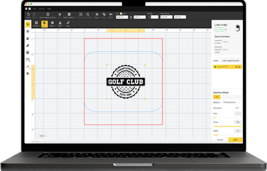
- Design software (e.g., LDS, LightBurn, RDWorks, CorelDRAW)
- High-quality paper or cardstock
Steps to Cut Paper with a Laser Cutting Machine
Step 1: Prepare Your Design
Create or import your pattern into the laser software.
Step 2: Set up the paper
Place the paper flat on the laser bed. Use low-tack tape or clamps if needed to prevent shifting.
Step 3: Adjust Laser Settings
Choose low power and high speed to avoid burning the edges.
Step 4: Cut the design
Start the laser cutting process and monitor for any paper movement or scorching.
Step 5: Remove and inspect
Carefully take out the paper and remove any loose cut-out pieces.
Pros & Cons of Cutting Paper with a Laser Cutting Machine
Pros
- Extremely precise and clean cuts
- Can create highly detailed, intricate designs
- Fast and repeatable—ideal for bulk production
Cons
- Requires access to a laser cutter (high initial cost)
Method 2: Cut Paper with a Craft Knife
Cutting paper with a craft knife (often referred to as an X-Acto or precision knife) is a widely used manual technique for achieving clean, controlled cuts. It is particularly suitable for detailed designs, straight edges, and small internal cut-outs where scissors may lack accuracy. This method is commonly used in crafting, scrapbooking, model making, and other DIY projects.
Tools & Materials Needed
- Craft knife / precision knife (with a sharp blade)
- Cutting mat (self-healing recommended to protect surfaces)
- Ruler or straight edge (metal is best)
- Pencil (optional, for marking cut lines)
- Paper to be cut
Steps to Cut Paper by Craft Knife
Step 1: Prepare your workspace
Place the cutting mat on a stable surface to protect your table or desk.
Step 2: Mark your design
Use a pencil to lightly sketch or mark the cut lines on your paper if needed.
Step 3: Position the ruler
Align the ruler along the cutting line to guide your knife for a straight cut.
Step 4: Cut with the craft knife
Hold the knife firmly and use a steady hand to slice along the marked line, pressing firmly but carefully.
Step 5: Repeat if necessary
For thicker paper, you may need to make multiple passes with the knife to cut through completely.
Step 6: Finish and clean up
Carefully lift the cut paper from the mat. Replace the blade if it becomes dull for best results.
Pros & Cons
Pros
- Allows for very precise and detailed cuts.
Cons
- Requires practice to avoid mistakes or injuries.
- Slower than some automated methods.
- Not suitable for very large volumes of cutting.
Method 3: Cut Paper with Scissors
Cutting paper with scissors is one of the simplest and most accessible methods. It is well suited to basic shapes, simple craft projects, and everyday paper cutting tasks. Because scissors are widely available and easy to use, this method is appropriate for both children and adults, provided proper supervision is given when required.
While scissors are not ideal for highly intricate designs, they offer speed and convenience for straightforward cutting.
Tools & Materials Needed
- A pair of sharp scissors (preferably with a pointed tip for precision)
- Paper to cut
- Pencil (optional, for marking lines)/li>
Steps
Step 1: Prepare your paper:
Place the paper on a flat surface. If needed, lightly draw the shape or lines you want to cut.
Step 2: Hold the scissors correctly
Use your dominant hand to hold the scissors, and the other hand to hold the paper steady.
Step 3: Start cutting
Begin cutting along the marked line or edge of the paper. For straight cuts, try to keep the scissors steady and use smooth, continuous movements.
Step 4: For curves or shapes
Open and close the scissors carefully, turning the paper with your non-cutting hand to follow curves accurately.
Step 5: Finish the cut
Once complete, check the edges and trim any uneven parts if necessary.
Method 4: Cut Paper with a Cricut Maker
The Cricut Maker is a computer-controlled cutting machine designed for precise paper and multi-material cutting. It is widely used by crafters, hobbyists, small businesses, and design studios that require clean, repeatable results without manual cutting effort. The machine enables accurate cutting of intricate shapes, layered designs, and detailed lettering.
Tools & Materials Needed
- Cricut Maker
- Engraving tip or deep-cut blade
- Paper to cut (compatible with Cricut cutting settings)
- Design software (Cricut Design Space)
- Weeding tools (optional, for removing excess pieces)
Steps to Cut Paper with a Cricut Maker
Step 1: Design or select a pattern
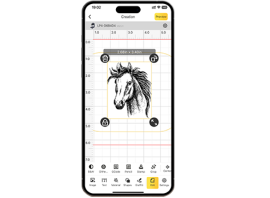
Use Cricut Design Space to create your own design or choose from thousands of pre-made templates.
Step 2: Prepare the paper and mat
Place the paper onto the cutting mat, aligning it as shown in the software instructions.
Step 3: Load the mat
Insert the mat into the Cricut Maker machine and ensure it's properly aligned.
Step 4: Set cut settings
In the software, select the correct material type to set the blade pressure and cutting speed automatically.
Step 5: Start cutting
Send the design to the machine and let it cut the paper precisely.
Step 6: Unload and finish
When cutting is complete, unload the mat and carefully remove your cut paper. Use weeding tools to clean up any small pieces if necessary.
FAQs about Cutting Paper
Q1. Can a laser engraving machine cut paper safely?
Yes, a laser engraving machine can cut paper safely when appropriate settings are used. Low power and high speed are typically recommended to prevent scorching or excessive burn marks. Proper supervision and ventilation are essential due to smoke generation during cutting.
Q2. What type of paper works best with a laser engraving machine?
High-quality cardstock and thicker craft paper generally produce cleaner results than very thin paper. Papers with coatings, metallic foils, or synthetic layers should be tested carefully, as they may react differently to heat.
Q3. How do you prevent burn marks when laser cutting paper?
Reducing laser power, increasing speed, and ensuring correct focus help minimise edge darkening. Good airflow and extraction also reduce heat build-up around the cut line.
Q4. Is a laser engraving machine better than a craft cutter for intricate paper designs?
For extremely fine and delicate patterns, a laser engraving machine can offer higher precision and cleaner internal cut-outs. However, for basic shapes or adhesive-backed materials, electronic blade cutters may be sufficient.
Q5. Does laser cutting paper require special ventilation?
Yes. Paper cutting produces smoke and fine particles. A proper extraction system or enclosed setup with filtration is strongly recommended to maintain indoor air quality.
Q6. Can a laser engraving machine engrave as well as cut paper?
Yes. In addition to cutting, a laser engraving machine can lightly engrave paper surfaces to create textured effects, shading, or decorative detailing without fully cutting through the material.
Conclusion:
Selecting the most suitable paper cutting method depends on the complexity of your design, the level of precision required, and the tools available. Manual techniques such as scissors and craft knives provide accessibility and control for simple or moderately detailed projects. Electronic cutting systems offer improved consistency and efficiency for repeated or layered designs.
For highly intricate patterns or commercial applications, laser-based cutting solutions deliver exceptional accuracy and repeatability. By understanding the strengths of each method, you can choose the approach that best supports your creative goals and achieve clean, professional results in your paper projects.