































Creating your own custom keycaps is a great way to transform your keyboard from a standard tool into something truly personal. Whether you're into gaming, mechanical keyboards, or simply enjoy typing, making custom keycaps allows you to express your style while improving your overall typing experience.
In this guide, we'll walk you through the key methods, materials, and tools used to make custom keycaps — from beginner-friendly DIY techniques to more advanced approaches — so you can find the option that suits your skills and creative goals.

In this article:
- Part 1: Introduction to Custom Keycaps
- Part 2: Overview of Customisation Methods
- Method 1: Laser Engraving
- Method 2: Painting
- Method 3: Resin Casting
- Method 4: 3D Printing
- Method 5: Dye-Sublimation
- Part 3: Step-by-Step Laser Engraving Keycaps
- Part 4: Pro Tips for Stunning Custom Keycaps
- Part 5: FAQs about Custom Keycaps
Part 1: Introduction to Custom Keycaps
Custom keycaps have become increasingly popular among keyboard enthusiasts in recent years. Whether you use your keyboard occasionally, spend hours gaming, or simply enjoy mechanical keyboards, replacing standard keycaps with custom designs can dramatically change both the look and feel of your keyboard.
What Are Keycaps?
Keycaps are the individual caps you press when typing on a keyboard. They come in a wide variety of shapes, profiles, and materials. While most standard keyboards use basic plastic keycaps, custom options are often made from higher-quality plastics or resin, offering more distinctive designs and finishes.
Beyond aesthetics, the material and shape of a keycap can significantly affect typing feel and sound, influencing everything from key travel to acoustic feedback.

Why Customise Keycaps?
People choose custom keycaps for several reasons:
- Personal expression: Custom keycaps allow your keyboard to reflect your interests, personality, or style.
- Improved typing comfort: Certain keycap profiles and materials can reduce finger fatigue and enhance typing comfort.
- Enhanced aesthetics: With a wide range of colours, themes, and designs, custom keycaps can turn a keyboard into a unique centrepiece.
Part 2: Overview of Custom Keycap Customisation Methods
If you want your keyboard to stand out, there are several proven ways to create custom keycaps. Each customisation method differs in difficulty, cost, durability, and material compatibility. Below is an overview of the most popular techniques used by keyboard enthusiasts and makers.
Method 1: Laser Engraving
Laser engraving uses a highly focused laser beam to permanently mark designs onto the surface of a keycap. This method produces extremely sharp text, symbols, and graphics that won't fade or wear off over time.
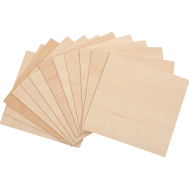
By removing a thin surface layer, laser engraving achieves a level of precision that paint-based methods cannot match. It works well on a variety of materials, including plastic, metal, and wood, making it a versatile option for durable, professional-looking keycaps.

Method 2: Painting
Painting allows complete creative freedom when customising keycaps. Using acrylic paints, enamel paints, or paint markers, you can create detailed illustrations, colour gradients, or themed designs.
After painting, a clear protective coat is usually applied to improve durability. Painting is especially suitable for artistic designs, themed keycap sets, or small personal touches. With masking techniques, it's possible to achieve clean patterns and colour separation.
Method 3: Resin Casting
Resin casting turns keycaps into miniature art pieces. The process involves pouring tinted or transparent resin into moulds, often embedding decorative elements such as glitter, figures, or layered effects.
This method allows for depth, transparency, and complex visual effects that other techniques can't easily replicate. Resin casting requires practice and patience but produces durable keycaps with a distinctive 3D appearance.
Method 4: 3D Printing
3D printing makes it possible to create custom keycap shapes and profiles from scratch. FDM printers are more affordable and suitable for basic designs, while resin printers offer finer detail and smoother surface finishes.
After printing, keycaps can be sanded, painted, or resin-coated for a more polished result. This method is ideal for testing custom shapes, ergonomic designs, or small production runs.
Method 5: Dye-Sublimation
Dye-sublimation uses heat to transfer ink directly into the surface of the keycap, creating designs that become part of the material itself. This technique is commonly used with PBT keycaps and is known for excellent durability.
Dye-sublimated legends and graphics remain crisp even after long-term use. While the process requires specific equipment and materials, it's an excellent choice for full keycap sets with detailed, long-lasting designs.
Keycap Customisation Methods – Comparison Overview
| Method | Difficulty | Cost | Durability | Best Use Case |
|---|---|---|---|---|
| Laser Engraving | Medium | Medium–High | Very High | Precise text or logo engraving on metal or plastic keycaps |
| Painting | Easy | Low | Medium | Colourful designs and artistic customisation |
| Resin Casting | High | Medium–High | High | 3D visual effects and embedded decorative elements |
| 3D Printing | Medium | Medium | Medium | Creating custom shapes and sculpted keycaps |
| Dye-Sublimation | Medium | High | Very High | Long-lasting colourful legends and designs |
Part 3: Step-by-Step Laser Engraving Keycaps
Laser engraving is one of the most reliable ways to customise keycaps, offering exceptional accuracy and long-lasting results. Once engraved, designs won't fade, peel, or wear away with regular use. Below is a practical step-by-step guide to help you get started.
Tools & Materials for Laser Engraving
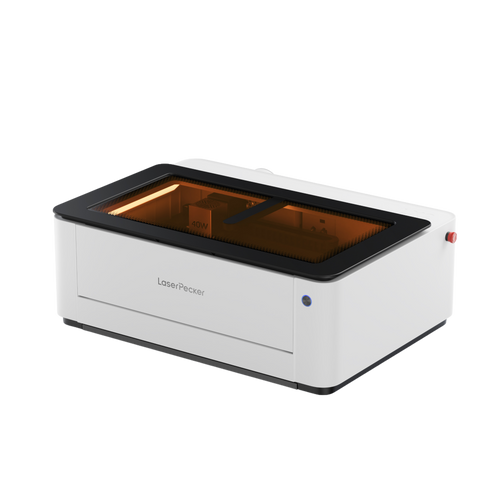
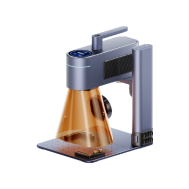
Laser engraving works by using a focused laser beam to permanently mark the surface of a keycap. A desktop machine such as the LaserPecker LP4, which features both a 10W blue diode laser and a 2W infrared laser, allows users to engrave a wide range of keycap materials with precision.

This dual-laser setup makes it suitable for materials commonly used in keycaps, including ABS and PBT plastics, metal-coated surfaces, acrylic, and thin wood. The LP4's touchscreen interface allows quick switching between laser types, while multi-angle engraving support helps achieve consistent results on sculpted or profiled keycaps. With engraving speeds of up to 4000 mm/s, it delivers both efficiency and fine detail.
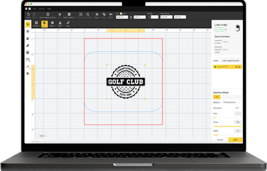
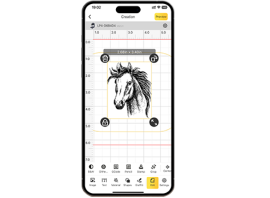
If you use it with software like LightBurn or LaserPecker Design Space, plus some safety glasses and good air flow, anyone from newbies to pros can get really good results. And its Engrave Again thing makes doing the same designs over and over a snap, which is great if you want to make matching keycap sets.
In addition to the laser engraver, a few basic accessories can significantly improve results:
- Cleaning wipes to prepare keycap surfaces
- Masking tape to protect areas from unwanted marking
- Small clamps to keep keycaps stable during engraving
- Good lighting and a clean workspace for detailed work
- Protective gloves for safe material handling
Step-by-Step Laser Engraving Process for Custom Keycaps
-
Step 1: Start with simple designs
Begin with basic shapes, icons, or lettering. High-quality vector designs usually produce the best engraving results. -
Step 2: Clean and prepare the keycaps
Ensure each keycap is clean and dry. Mask off any areas you don't want the laser to mark. -
Step 3: Adjust laser settings
Set the appropriate power and speed based on the keycap material. Dual-laser systems allow quick switching between plastics and metal-coated surfaces. -
Step 4: Engrave the keycap
Place the keycap securely in the engraver and start the process. Engraving from multiple angles can help maintain accuracy on sculpted profiles. -
Step 5: Clean and finish
Remove masking tape, clean away residue, and apply a clear protective sealant if additional durability is required.
Part 4: Pro Tips for Stunning Custom Keycaps
If you want your keyboard to truly stand out, custom keycaps can turn it into a functional piece of art. The following professional tips will help you achieve cleaner details, better durability, and more consistent results, especially when working with laser engraving and mixed techniques.
1. Understand Material Differences
Different keycap materials respond very differently to customisation methods such as laser engraving, painting, or resin filling. For example, ABS plastic engraves quickly but may develop a shiny surface over time due to wear. PBT, on the other hand, tolerates heat better and retains its texture for longer.
Before engraving your final keycap set, always test your settings on a spare keycap. This helps you fine-tune power, speed, and depth while avoiding costly mistakes.
2. Add Colour for Extra Visual Impact
Laser engraving alone can look clean and professional, but combining it with colour can significantly enhance the final result. Consider filling engraved areas with resin to create depth, or carefully painting legends for higher contrast.
By combining engraving with paint, resin, or dye, you can create keycaps that feel truly unique rather than purely functional.
3. Keycap Shape Matters
Not all keycaps have flat surfaces. Sculpted profiles and curved sides can affect engraving consistency. Using multi-angle engraving ensures your designs remain even and readable across the entire keycap.
This is especially important for artisan keycaps, large legends, or side-engraved designs where uneven depth would be noticeable.
4. Seal the Deal for Durability
If you paint or fill engravings with resin, sealing the surface is essential. A clear protective coat helps shield your work from finger oils, friction, and everyday wear.
Proper sealing ensures your keycaps maintain their appearance over time, even with heavy daily use.
5. Start Small and Scale Up
Although complex designs can be tempting, it's best to begin with simple shapes, icons, or single characters. Once you're confident with your settings and technique, you can progress to full keycap sets, intricate patterns, or layered 3D effects with far less risk.
Part 5:FAQs about Custom Keycaps
Q1. Will Laser Engraving Damage My Keycaps?
Laser engraving will not damage your keycaps if the settings are correctly matched to the material. Excessive power can warp ABS or PBT plastics, while insufficient power may produce faint results. Always test on a spare keycap first and adjust power and speed accordingly. When done properly, laser engraving creates permanent markings that won't chip or peel like paint.
Q2. Can I Create Coloured Designs with Laser Engraving?
Laser engraving mainly alters the surface or colour tone of the material itself. For brighter colours, you can fill engraved areas with paint or resin after engraving. Many creators combine laser engraving with resin filling or dye-sublimation to achieve vivid, high-contrast designs.
Q3. How Long Do Laser-Engraved Keycaps Last?
Laser-engraved designs are extremely durable. They don't fade, peel, or wear away like decals or surface paint. On quality ABS or PBT keycaps, engravings can last for years, even with heavy daily typing. To maintain them, avoid harsh chemical cleaners.
Q4. What Is the Best Keycap Material for Beginners?
ABS and PBT plastics are ideal for beginners. ABS engraves quickly and is widely available, while PBT is more heat-resistant and maintains its texture longer. Knowing the material helps you fine-tune laser settings for the best result.
Q5. Can I Buy Single Keycaps or Full Keycap Sets in the UK?
Yes. Many UK retailers and online stores sell both individual keycaps and complete sets. Single keycaps are useful for testing designs or replacing worn keys, while full sets provide a consistent look across your keyboard.
Q6. Is laser engraving safe for making custom keycaps at home?
For users in the UK, safety should always be the top priority when laser engraving custom keycaps made from materials such as plastic (ABS, PBT), resin, wood, or coated metal.
Because keycaps are small, lightweight, and often engraved indoors, proper protection and airflow management are especially important:
- LP2 Plus, LP2, and LP4 users: We recommend pairing your machine with the LaserPecker Standard Enclosure when operating in home or workshop settings across the eruope. This accessory enhances protection, complementing the machines' Class 4 Laser Safety compliance under guidelines.
- LP5 users: The LP5 Safety Enclosure is required for proper protection during operation. It ensures adherence to UK safety regulations, safeguarding against accidental exposure in residential or small business environments.
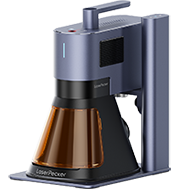
- LX2 users: No additional enclosure is needed. The LX2 is a Class 1 laser system, meaning it is safe to use without extra protective equipment under normal operating conditions.
Beyond laser safety, air quality is a key consideration for indoor workshops. Laser processing generates fumes and fine particles that may impact respiratory health. To meet indoor air quality guidelines and maintain a clean, safe workspace, we strongly recommend using the LaserPecker Desktop Air Purifier , particularly for enclosed or well-insulated homes and studios.
Conclusion
Custom keycaps are about more than appearance — they’re a practical and creative way to personalise how your keyboard looks, feels, and performs. From precise laser engraving to hands-on painting and resin casting, each method suits different skill levels, budgets, and design goals.
Whether you’re customising a single accent key or crafting a full matching set, experimenting with keycap customisation lets you build a keyboard that reflects your style and how you use it every day. Start small, learn how different materials behave, and you’ll quickly discover how much impact a few well-designed keycaps can make.