





























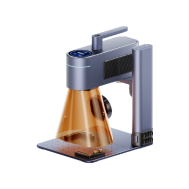


Creating professional name tags requires more than simply engraving a name onto metal or plastic. The engraving method affects readability, durability, production speed, and overall running costs. In 2026, there are many engraving machines available, but only a few deliver the precision and consistency needed for high-quality name tags.
This guide explores the five main types of name tag engraving machines, including laser engravers, CNC systems, and handheld tools. You'll learn the advantages and limitations of each option, and why laser engraving machines — particularly fibre laser models — have become a preferred choice for UK businesses, workshops, and personalised product makers.

In this article:
- Part 1: 5 Types of Name Tag Engraving Machines
- Type 1: Name Tag Laser Engraver
- Type 2: Rotary / CNC Name Tag Engraver
- Type 3: Handheld Electric Engraving Pen
- Type 4: Impact Marking Machines for Metal Name Tags
- Type 5: Cricut Machines for Name Tags
- Part 2: How to Choose the Right Name Tag Engraving Machine
- Part 3: Best Choice for Most People — Name Tag Laser Engraver
- Part 4: FAQs About Name Tag Engravers
Part 1: 5 Types of Name Tag Engraving Machines
Type 1: Name Tag Laser Engraver
Laser engravers use a focused laser beam to mark materials without direct contact. The laser alters the surface layer to create names, logos, serial numbers, or QR codes with high precision.
Laser engravers are widely used for personalised name tags because they offer:
- Extremely fine engraving detail
- Consistent results across multiple batches
- Fast and automated production
- Low maintenance compared to mechanical systems
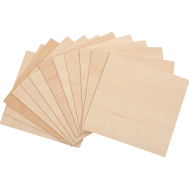
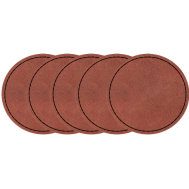
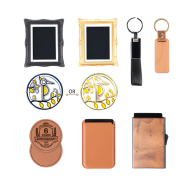
They also work with a broad range of materials, including wood, acrylic, coated metals, stainless steel, anodised aluminium, and leather. For UK small businesses and workshop users, the laser engraver is often preferred for both custom orders and small-scale production runs.
Type 2: Rotary / CNC Name Tag Engraver
Rotary and CNC engraving machines use spinning cutting bits to physically carve into the material surface. The engraving path is controlled digitally, similar to CNC milling systems.
These machines are suitable for deep and permanent engraving on plastics and metals, particularly for industrial labels or signage. However, there are several limitations to consider:
- Cutting bits wear down over time and require replacement
- Setup and calibration can take longer
- Fine text and intricate logos are harder to achieve
- Mechanical contact may leave rougher edges on delicate materials
Despite these drawbacks, rotary engravers remain popular for applications where engraving depth matters more than speed or visual detail.
Type 3: Handheld Electric Engraving Pen for Name Tag
Handheld engraving pens are compact manual tools that use a vibrating or rotating tip to scratch designs directly onto a surface.
To create a name tag, users typically trace letters or patterns by hand while adjusting pressure and movement manually. This method is flexible and inexpensive, making it suitable for quick DIY projects or occasional personalisation.
Advantages include:
- Affordable entry cost
- Lightweight and portable
- Easy to purchase and operate
However, these tools have major limitations for professional use:
- Low engraving precision
- Inconsistent line quality
- Slow production speed
- Difficult to repeat identical designs
For this reason, handheld engraving pens are generally unsuitable for commercial name tag production or batch engraving work.
Type 4: Impact Marking Machines for Metal Name Tags
Impact marking machines use force-driven pins or stylus systems to create dents in metal surfaces.
They are commonly used in factories and industrial environments where durability is more important than appearance. The markings are highly permanent and resistant to wear, making them useful for machinery plates, industrial tags, and asset tracking.
However, impact marking systems are less suitable for decorative or detailed name tags because:
- Engraving quality is relatively rough
- Design flexibility is limited
- Complex graphics and fine text are difficult to produce
- Noise levels can be higher during operation
Type 5: Cricut Machines for Name Tags
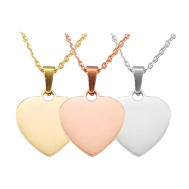
Cricut machines are primarily designed for cutting materials such as vinyl, cardstock, paper, and thin plastics. With an engraving tip attachment, they can also create light engravings on acrylic sheets, coated metals, and metal blanks.
This makes Cricut machines useful for decorative or layered craft-style name tags. However, Cricut engraving is pressure-based rather than laser-based, so the engraved marks are usually shallow and less durable.
Compared with Laser engravers, Cricut machines have several limitations:
- Less engraving depth
- Lower durability for long-term use
- Reduced detail on complex designs
- More restricted material compatibility
As a result, Cricut machines are better suited to hobby crafts, temporary labels, or decorative projects rather than professional engraved name tags.
Comparison Table of Name Tag Engravers
| Machine Type | Supported Materials | Detail Level | Batch Consistency | Maintenance | Best For |
|---|---|---|---|---|---|
| Laser Engraver | Wood, acrylic, leather, coated metal, stainless steel | Very High | Excellent | Low | Professional and personalised name tags |
| Rotary / CNC | Plastic, aluminium, metal | Medium | Good | Medium to High | Deep engraved signs and industrial plates |
| Engraving Pen | Most surfaces | Low | Poor | Low | DIY and occasional projects |
| Impact Marker | Metal only | Low | High | Medium | Industrial metal tags |
| Cricut | Vinyl, paper, thin plastic, acrylic sheets | Medium | Good | Low | Decorative and craft-style name tags |
From the comparison above, the laser engraver stands out as the most balanced solution for most users. It combines precision, speed, consistency, and material versatility, making it suitable for both custom projects and small business production.
Part 2: How to Choose the Right Name Tag Engraving Machine
Instead of choosing a machine based only on brand popularity, it's better to focus on your actual engraving needs first. The right machine depends on the materials you use, the level of detail required, your production workflow, and the working environment.
#1: Choose by Material
Different materials require different engraving capabilities and power levels.
- Acrylic and plastics: Require clean edges and controlled heat to avoid melting or burn marks
- Metals: Need stronger laser energy for permanent marking or deep engraving
- Wood and leather: Require precise control to maintain fine detail without scorching or surface damage
Laser engravers are particularly versatile because they can handle multiple materials with simple setting adjustments, making them suitable for both hobby users and UK small businesses.
#2: Precision and Engraving Detail
If your name tags include:
- Small lettering
- Company logos
- QR codes
- Serial numbers
- Fine decorative graphics
then engraving precision becomes extremely important.
Low-resolution machines can produce blurred text or unreadable codes, especially on smaller tags. The laser engraver is widely preferred for detailed engraving work because it delivers sharp lines, accurate positioning, and consistent engraving quality.
#3: Batch Production Workflow
For schools, offices, exhibitions, retail shops, or personalised product businesses, production consistency matters just as much as engraving quality.
Automated engraving systems help ensure that:
- Every name tag looks identical
- Alignment stays accurate across batches
- Production speed remains efficient
- Human error is reduced
Laser engravers are especially useful for repeat production because digital files can be reused with minimal setup time.
#4: Safety and Workspace Requirements
Some engraving machines generate significant noise, dust, smoke, or vibration during operation. Before choosing a machine, consider your available workspace and ventilation conditions.
For users in the UK, compact laser engravers with enclosed designs are often ideal for:
- Home workshops
- Retail environments
- Small studios
- Indoor business use
Machines with filtration or air purification systems can also help remove smoke and engraving odours, improving indoor working conditions. Some enclosed models additionally support enhanced laser safety protection for safer day-to-day operation.
#5: Total Cost of Ownership
The machine price is only part of the overall investment. Long-term running costs can vary significantly depending on the engraving method.
Consider factors such as:
- Tool replacement costs
- Calibration and servicing
- Material waste
- Production speed
- Maintenance downtime
Compared with mechanical engraving systems, Laser engravers often reduce operating costs over time because they require fewer consumable parts and help minimise production errors.
Part 3: Best Choice for Most People — Name Tag Laser Engravers
If you want a fast, reliable, and professional way to produce custom name tags, Laser engravers are one of the best options available. They combine high engraving precision with efficient production workflows, making them suitable for hobby creators, retail businesses, workshops, and commercial engraving services.
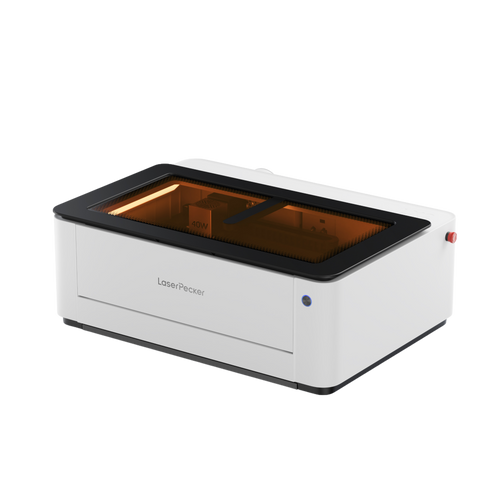
Why the LP5 Laser Name Tag Engraver Is a Good Option
The LP5 is a strong example of why the laser engraver has become increasingly popular for name tag production in the UK market.
Reason 1: Detailed and Precise Engraving
The LP5 can engrave:
- Small lettering
- Thin lines
- Company logos
- QR codes
- Serial numbers
with excellent clarity and positioning accuracy. This level of precision is especially useful for metal name tags, branded products, and personalised business items.
Reason 2: Consistent Batch Production
Because every design is processed from the same digital file, the LP5 delivers highly consistent engraving results across multiple name tags.
This helps ensure:
- Uniform engraving depth
- Matching alignment
- Professional appearance
- Faster repeat production
For businesses handling bulk orders or repeat customers, consistency is essential.
Reason 3: Non-Contact and Gentle Processing
Unlike rotary engraving systems, the laser does not physically touch the material surface.
This offers several advantages:
- Reduced risk of scratches or deformation
- Cleaner engraving edges
- Lower material waste
- Better results on delicate materials
The non-contact process also reduces mechanical wear compared with traditional cutting-based systems.
Reason 4: Wide Material Compatibility
The LP5 supports engraving on a wide range of materials, including:
- Leather
- Wood
- Acrylic
- Stainless steel
- Aluminium
- Coated metals
This flexibility allows users to create everything from office name badges to decorative craft tags and industrial identification plates.
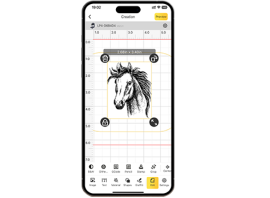
Reason 5: Easy Personalisation and Automation
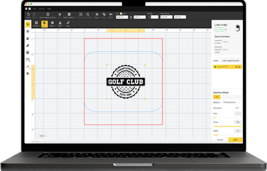
One major advantage of the laser engraver is how easily it handles customisation.
Users can automatically engrave:
- Different names
- Variable serial numbers
- Employee IDs
- Unique QR codes
- Custom text fields
without slowing down production speed. This is particularly valuable for personalised product sellers and small businesses offering made-to-order items.
Added Safety and Indoor Workspace Benefits
For users in the UK who operate from home workshops, studios, or indoor retail spaces, safety and air quality are also important considerations.
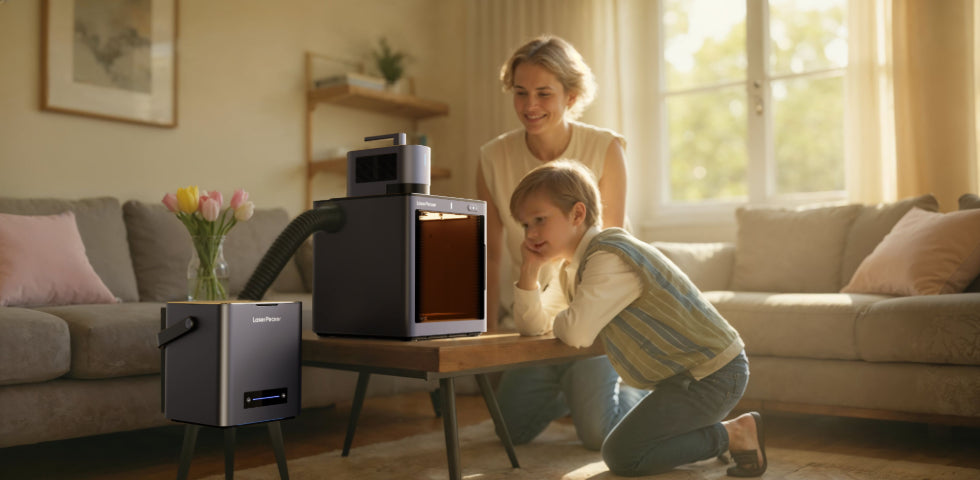
When paired with the LaserPecker LP5 Safety Enclosure, the LP5 supports Class 1 Laser Safety, providing an additional layer of protection during operation.
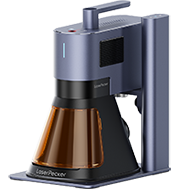
The LP5 can also be used together with the LaserPecker Desktop Smoke Purifier, which helps filter smoke, particles, and engraving odours generated during engraving and cutting. This makes indoor operation cleaner and more suitable for compact working environments.
If you produce name tags professionally — or plan to expand production in the future — Laser engravers offer one of the best combinations of precision, efficiency, safety, and material flexibility available today.
Part 4: FAQs About Name Tag Engravers
Q1: Can lasers engrave acrylic and plastic name tags?
Yes, Laser engravers work extremely well with acrylic and many types of plastic materials. With the correct power and speed settings, they can produce sharp lettering, smooth edges, and highly detailed designs. This makes the laser engraver a popular choice for professional name badges, retail tags, and personalised office signage in the UK.
Q2: What file formats work best for name tag engraving?
Vector-based file formats usually provide the best engraving results because they maintain clean edges and accurate dimensions.
Commonly used formats include:
- SVG
- AI
- DXF
- EPS
These formats are ideal for logos, text, QR codes, and detailed graphics.
Q3: Which material is best for name tag engraving?
The best material depends on how the name tag will be used.
- Acrylic: Lightweight, affordable, and suitable for colourful custom designs
- Stainless steel: Durable and professional-looking for long-term use
- Wood: Creates a natural handcrafted appearance
- Leather: Popular for personalised accessories and craft products
For UK businesses, acrylic and stainless steel are among the most commonly used options for professional name tags.
Q4: Can you use a Cricut for name tags?
Yes, Cricut machines can cut and decorate name tags. With an engraving tip attachment, they can also create light engravings on acrylic sheets and coated metal blanks.
However, Cricut engraving is pressure-based and relatively shallow. For deeper, cleaner, and more permanent engraving — especially on metal or commercial products — Laser engravers generally deliver far better results.
Q5: What is the best laser engraver for small business name tag production?
For small businesses, a compact laser engraver with high precision and batch production capability is usually the best option.
Many UK workshop users prefer machines that offer:
- Fine engraving detail
- Fast production speed
- Easy software operation
- Compact desktop size
- Indoor-safe working features
Models paired with enclosed protection systems and smoke purification are especially useful for indoor workspaces and retail environments.
Q6: Are laser engravers safe to use indoors?
Yes, many modern desktop Laser engravers are designed for indoor use when used correctly.
For improved protection, some enclosed systems support Class 1 Laser Safety, which helps reduce laser exposure risks during operation.
Using a smoke purification system can also help filter engraving fumes, particles, and odours, making the workspace cleaner and more comfortable for long engraving sessions.
Conclusion
Whether you're creating a small batch of personalised name tags or scaling a growing customisation business, investing in the right engraving machine can help improve production quality, reduce manual workload, and support long-term business growth.