





























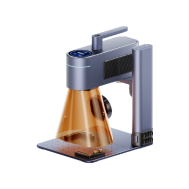


Plastic engraving has become increasingly popular across the UK, especially in areas such as product design, electronic labelling, signage, prototyping, and personalised gifts. Whether you're working with acrylic, ABS, coated plastics, or laminated sheets, choosing the right tools is essential to achieve clean, precise results.
With so many options available in 2026, it can be challenging to know where to start—particularly for beginners setting up a home workshop or small business.
In this guide, we'll explore four widely used plastic engraving tools, outlining their strengths and limitations. This will help you select the most suitable option based on your project requirements, budget, and production scale. For users in the UK, factors such as workspace size, plug compatibility, and laser safety standards (e.g. Class 1 compliance) are also worth considering when choosing a machine.

In this article:
-
Part 1: Top 4 Tools for Engraving Plastic: Pros and Cons
- Tool 1: Laser Engraving Machine
- Tool 2: CNC Engraving Tools
- Tool 3: Dot Peen Marking Machine
- Tool 4: Handheld and Electric Auxiliary Tools
- Part 2: How Do I Choose the Right Plastic Engraving Tool?
- Part 3: Questions about Plastic Engraving Tools
Part 1: Top 4 Tools for Engraving Plastic: Pros and Cons
Different plastic engraving tools operate in distinct ways—some remove material mechanically, while others rely on heat or impact. Understanding how each method interacts with plastic is essential to avoid issues such as melting, warping, or poor-quality finishes.
Below are four commonly used plastic engraving tools in 2026, each suited to different applications and user needs in the UK market.
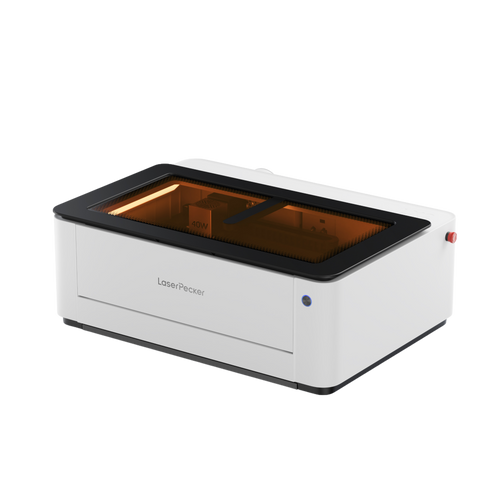
Tool 1: Laser Engraving Machines
Laser engraving machines use a focused beam of light to vaporise the plastic surface, producing clean and highly precise markings. This method has become a preferred choice for plastic engraving in the UK due to its accuracy and versatility.
One of the key advantages is the ability to create intricate designs. Laser systems can produce fine lines, small text, and complex patterns that are difficult to achieve with manual or mechanical tools. This makes them ideal for logos, QR codes, serial numbers, and detailed artwork.
Laser engraving also ensures excellent consistency. Once the settings are configured, each item is engraved with identical precision—making it particularly suitable for batch production. In addition, as the process is non-contact, it is safe for thinner plastics without causing deformation.
For users in the UK, compact laser engravers are especially popular for home workshops and small businesses, particularly when combined with proper ventilation systems to ensure safe indoor use.
However, not all plastics are suitable for laser engraving. Certain materials may melt unevenly or release harmful fumes, so selecting compatible plastics and ensuring adequate airflow is essential.
What's good:
- Extremely high precision and detail
- Consistent quality for batch production
- Non-contact process (no tool wear)
- Ideal for complex and decorative designs
Things to consider:
- Higher initial investment
- Not compatible with all plastic types
- Requires proper ventilation and correct settings
Tool 2: CNC Engraving Tools
CNC engraving tools use rotating cutting bits to carve into the plastic surface. These machines are widely used in workshops and are particularly effective for thicker and more rigid plastics.
They excel at deep engraving and cutting, especially on materials such as acrylic. CNC systems are also suitable for handling larger workpieces that lower-power laser engravers may struggle with.
However, CNC tools are less effective for fine detailing. The level of precision depends on the size of the cutting bit, making very small text or intricate patterns more challenging. They can also be noisy, require regular maintenance, and involve tool wear over time.
What's good:
- Suitable for thick and hard plastics
- Capable of deep engraving and cutting
- Reliable for continuous production
Things to consider:
- Limited fine detail compared to lasers
- Tool wear affects engraving quality
- Slower for intricate designs
- Requires ongoing maintenance
Tool 3: Dot Peen Marking Machine
Dot peen marking machines engrave plastic by striking the surface with a pin, creating a series of dots that form characters or numbers.
This method is commonly used in industrial environments for marking serial numbers, IDs, and tracking codes. It is durable and effective on harder plastic materials.
However, the visual quality is relatively basic. Dot peen marking is not suitable for decorative purposes or detailed graphics. Noise levels may also be a concern in certain workshop environments.
What's good:
- Durable and long-lasting markings
- Ideal for industrial identification
- Minimal setup required
Things to consider:
- Limited visual appeal
- Not suitable for complex designs
- Produces noticeable noise
Tool 4: Handheld and Electric Auxiliary Tools
This category includes manual engraving tools, electric pens, rotary tools, and heated knives. These are commonly used by hobbyists due to their affordability and accessibility.
While suitable for simple or one-off projects, the final result largely depends on user skill. Achieving consistent depth and clean lines can be difficult, particularly on smooth plastic surfaces. Heat-based tools may also cause unintended melting.
What's good:
- Affordable and widely available
- Suitable for DIY and small-scale projects
- Portable and flexible
Things to consider:
- Inconsistent results
- Limited precision and detail
- Not suitable for batch production
Comparison Table of Plastic Engraving Tools
| Tool Type | Precision | Consistency | Speed | Skill Required | Best Use Case |
|---|---|---|---|---|---|
| Laser Engraving Machine | Extremely High | Excellent | Fast | Low | Logos, patterns, batch production |
| CNC Engraving Tools | Medium–High | Good | Medium | Medium–High | Deep cuts, thick plastics |
| Dot Peen Machine | Low | High | Fast | Low | Industrial markings |
| Handheld Tools | Low | Low | Slow | High | Simple DIY tasks |
When comparing all four methods, it becomes clear that laser engraving offers the best balance of precision, speed, consistency, and design flexibility. For users who prioritise professional-quality results and scalable production, a laser engraving machine is often the most effective solution in 2026.
So, which laser engraving machine is best for plastic?
If you're working with plastic materials, the LaserPecker LP4 stands out as a highly capable option for both home users and professional applications in the UK.
Firstly, the LP4 delivers exceptional precision. It enables ultra-fine lines, small text, and highly detailed designs that are difficult to achieve with manual tools—making it ideal for branding, labelling, and decorative applications.
Secondly, it excels at handling complex designs. From textures and gradients to image engraving, the LP4 supports a wide range of creative possibilities that go beyond traditional engraving methods.
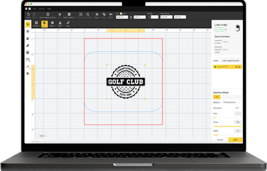
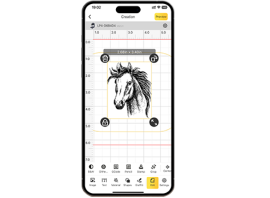
In addition, the LP4 is user-friendly. Rather than requiring years of manual skill development, it operates via intuitive software—allowing users to import designs, adjust settings, and produce professional-quality results, even at beginner level.
For UK users, its compact size and ease of setup make it particularly suitable for home workshops or small studios.
Part 2: How Do I Choose the Right Plastic Engraving Tool?
Choosing the right plastic engraving tool goes beyond simply comparing prices or brands. Since different plastics react differently to heat, pressure, or cutting force, understanding your material is essential for achieving clean, reliable results.
Below are the key factors to consider when selecting the most suitable tool for your needs in the UK.
1. Material Type
Not all plastics engrave in the same way. Materials such as acrylic, ABS, PETG, and coated plastics are well suited to laser engraving, producing crisp and high-contrast results.
However, softer plastics like PVC or unidentified materials can melt, warp, or release fumes when exposed to heat. In particular, PVC emits toxic gases during processing, which can be harmful to both users and equipment.
For this reason, laser engraving machines are not recommended for PVC or similar materials. In such cases, CNC engraving tools or other non-thermal methods may be safer alternatives—although proper ventilation and protective measures are still required.
If you plan to work with a variety of plastics, a laser engraving machine offers greater flexibility. By adjusting power and speed settings, you can optimise performance for different materials.
Why it matters:
- Ensures material compatibility
- Prevents damage and safety risks
- Improves engraving quality
2. Precision and Detail Requirements
If your projects involve fine text, thin lines, serial numbers, or detailed logos, precision becomes a critical factor.
Laser engraving machines excel in this area, delivering clean edges and high-definition results. In contrast, mechanical tools often struggle with intricate designs and may leave rough or uneven finishes.
For applications such as branding, labelling, or decorative work, laser engraving provides consistently sharp and professional outcomes.
3. Production Volume and Efficiency
Your production scale should also influence your choice of tool.
- For occasional or one-off projects, handheld tools or small mechanical engravers may be sufficient
- For regular production—such as nameplates, control panels, or tags—a laser engraving machine significantly improves speed and consistency
Laser systems allow you to reuse digital designs, ensuring every item is engraved identically without manual variation. Features such as repeat engraving functions (e.g. “engrave again”) can further improve workflow efficiency.
For UK small businesses and home-based workshops, this level of consistency is particularly valuable when producing branded or customised products.
4. Budget and Long-Term Value
While budget is always a consideration, it is important to look beyond the initial purchase cost.
- Handheld tools: low cost, limited capability
- CNC machines: higher upfront cost + ongoing maintenance
- Laser engraving machines: higher initial investment, but greater long-term value
Laser systems can reduce material waste, minimise errors, and save time—making them a cost-effective solution for users planning regular or commercial use.
5. Ventilation and Safety
Plastic engraving can generate fumes, particularly when heat is involved. Proper ventilation or air filtration is essential when using laser engraving machines.
One advantage of laser systems is their non-contact operation, which reduces the risk of physical injury compared to mechanical tools.
For users in the UK, combining a laser engraving machine such as the LaserPecker LP4 with a suitable extraction or air purification system helps ensure a safer and cleaner indoor working environment—especially in home workshops or enclosed studios.
Part 3: Questions about Plastic Engraving Tools
Q1. Can I use laser engraving for all types of plastic?
Not all plastics are suitable for laser engraving. Materials such as acrylic, ABS, and PETG generally produce clean and precise results. However, plastics like PVC and vinyl should be avoided, as they release harmful fumes when exposed to heat.
Before starting any project, it's best to confirm that your material is laser-safe. Testing on a small sample piece is strongly recommended to avoid damage and ensure optimal results.
Q2. Laser engraving vs. mechanical engraving: which is more cost-effective?
Laser engraving machines typically require a higher initial investment. However, they offer faster processing speeds, lower manual effort, and greater consistency.
Mechanical engraving tools may be more affordable upfront, but they often require more time, maintenance, and post-processing. For batch production or business use, laser engraving is generally more cost-effective in the long run due to reduced waste and improved efficiency.
Q3. How deep can laser engraving go on plastic?
Laser engraving is primarily designed for surface marking rather than deep cutting. The engraving depth depends on factors such as the type of plastic, laser power, speed settings, and the number of passes.
While multiple passes can increase depth, laser engraving is best suited for creating clear, high-contrast surface designs rather than deep engravings.
Q4. How do I prevent melting or warping when engraving plastic?
To minimise the risk of melting or warping:
- Use lower power settings
- Increase engraving speed
- Apply air assist to reduce heat build-up
- Test settings on a sample before full production
Maintaining proper airflow and optimised settings helps achieve clean results without damaging the material.
Q5. What is the best plastic for laser engraving in the UK?
Acrylic is widely considered one of the best plastics for laser engraving due to its ability to produce sharp, frosted finishes. ABS and coated plastics are also suitable options.
For UK users, cast acrylic is often preferred over extruded acrylic, as it delivers better engraving contrast and detail.
Q6. Is laser engraving safe for home use?
Yes, laser engraving can be safe for home use when proper precautions are taken. This includes using appropriate ventilation, air filtration systems, and protective enclosures.
For users in the UK, compact machines such as the LaserPecker LP4—when paired with an effective extraction or air purification setup—can provide a safe and controlled indoor engraving environment.
Conclusion
In 2026, there are multiple ways to engrave plastic, but not all tools deliver the same level of performance. While CNC machines, dot peen systems, and handheld tools each have their place, laser engraving machines stand out for their precision, speed, and scalability.
For users who prioritise accuracy and consistent results, modern laser engraving machines such as the LaserPecker LP4 offer a clear advantage—particularly when working on detailed designs, branding elements, or customised products. In contrast, traditional tools provide a more hands-on, tactile experience, which may appeal to hobbyists or small-scale craft projects.
If your goal is to engrave plastic efficiently while maintaining high quality and design flexibility, the LaserPecker LP4 is a strong choice. It simplifies the engraving process while delivering professional-level results.
For users in the UK, laser engraving has increasingly become the preferred solution for producing custom plastic items—from prototypes and personalised gifts to small-batch production—thanks to its reliability and ease of use in both home workshops and small business environments.