































Stencil cutting is commonly used across creative projects and industrial production, including wall décor, street art, textile printing, product labelling, packaging, and branding. To achieve clean edges, durable stencil bridges, and accurate cuts, choosing the right stencil cutting machine is essential.
Today, users in the UK often look for machines that combine precision, ease of use, and safe indoor operation for workshops or small businesses. In this guide, you'll learn what a stencil cutting machine is, discover the main machine types available, and compare their advantages and limitations. You'll also see why laser cutting machines have become a preferred option for creating highly detailed and professional stencils.

In this article:
- Part 1: What Is a Stencil Cutting Machine?
- Part 2: 4 Types of Stencil Cutting Machines
- Type 1: Manual Stencil Cutting Tools
- Type 2: Plotter Machines
- Type 3: CNC Router Machines
- Type 4: Laser Engraving & Cutting Machine
- Part 3: Why Laser Cutting Machines Are the Best Choice for Precision Stencils
- FAQs: Common Questions About Stencil Cutting Machines
Part 1: What Is a Stencil Cutting Machine?
A stencil cutting machine is designed to cut shapes, lettering, patterns, or logos from flat materials to create reusable stencil templates. These cut-out sections allow paint, ink, sand, or other materials to pass through onto surfaces such as walls, textiles, wood, metal, packaging, and signage.
Modern stencil production usually begins with a digital design file. The machine follows the design path with precision, helping users achieve cleaner edges and more accurate results. In the UK, stencil cutting machines are widely used by hobbyists, print shops, crafters, and small businesses that require repeatable and professional-looking designs.
The overall quality of a stencil depends heavily on the cutting accuracy and stability of the machine. Higher precision produces sharper details, cleaner corners, and longer-lasting reusable stencils.

What Makes a Good Stencil?
A high-quality stencil should offer:
- Precision: Clean and accurate cutting lines with minimal rough edges
- Detail Capability: Consistent handling of fine text and intricate artwork
- Structural Integrity: Thin bridges and delicate sections remain intact during use
- Material Compatibility: Suitable for both flexible films and rigid stencil boards
- Repeatability: Produces consistent results across multiple copies
If a stencil is poorly cut, problems such as paint bleeding, weak bridge sections, or uneven edges can reduce print quality and shorten the stencil's lifespan.
Common Stencil Materials
Different materials are suitable for different stencil applications:
- Mylar (PET Film): Durable, flexible, and reusable for repeated projects
- Polypropylene (PP): Washable and resistant to chemicals and moisture
- Vinyl Film: Thin adhesive-backed material ideal for temporary masking
- Acrylic Sheets: Rigid and long-lasting for precise stencil work
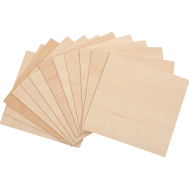
- MDF or Plywood: Commonly used for thicker spray-paint stencils and signage
- Cardboard: Affordable and disposable for short-term use
Stencil materials can range from ultra-thin films of around 0.1 mm to rigid boards up to 6 mm thick, depending on the application, durability requirements, and cutting method used.
Part 2: 4 Types of Stencil Cutting Machines
There are several types of stencil cutting machines available today, each designed for different materials, production needs, and levels of precision. From simple hand tools to advanced digital laser systems, every option offers different advantages in terms of workflow, cutting quality, and material compatibility.
Below are four common stencil cutting machines and how they are typically used across DIY crafting, signage production, workshops, and small businesses in the UK.
Type 1: Manual Stencil Cutting Tools for Stencils
Manual stencil cutting tools are one of the simplest and most affordable ways to create stencils. Common tools include craft knives, hobby blades, scalpels, and self-healing cutting mats. Users manually follow printed or hand-drawn designs to cut patterns from paper, cardboard, acetate sheets, or thin plastic materials.
This approach is often used for quick DIY projects, temporary stencils, or low-volume production. Because no software or machine setup is required, it remains a popular entry-level option for beginners, students, and hobby crafters.
Pros
- Simple to Use: No software knowledge or technical setup required
- Low Cost: Minimal equipment investment compared with powered machines
- Portable: Can be used almost anywhere without electricity
Cons
- Limited Precision: Difficult to maintain perfectly clean edges on detailed designs
- Time-Consuming: Intricate stencil patterns require significant manual effort
- Low Consistency: Reproducing identical stencils accurately can be challenging
- Material Restrictions: Best suited to thin and flexible materials only
Type 2: Plotter Cutting Machines for Stencils
Plotter cutting machines, often called vinyl cutters, are widely used for producing stencils from thin flexible materials. These machines use a precision blade to follow vector-based digital designs and cut materials such as vinyl film, masking film, and thin plastic sheets.
The process is straightforward: users create or upload a design, send it to the machine, and allow the cutter to complete the stencil automatically. In the UK, plotter machines are commonly used by craft businesses, sign makers, and Etsy sellers because they offer a good balance between affordability and cutting accuracy.
Pros
- Good Precision: Produces clean and accurate stencil cuts for most standard projects
- Reliable Repeatability: Suitable for creating multiple identical stencil copies
- User-Friendly Workflow: Simple software and automated cutting process
Cons
- Material Limitations: Primarily designed for thin flexible materials such as vinyl
- Limited Thickness Capacity: Struggles with rigid or thicker stencil boards
- Blade Maintenance: Cutting blades wear down and require replacement
- Detail Restrictions: Extremely intricate designs may lose cutting accuracy
Type 3: CNC Router Machines for Stencils
CNC router machines are computer-controlled cutting systems that use rotating bits to carve or cut materials. For stencil production, they are typically used with rigid materials including MDF, plywood, acrylic, hardwood, and thick plastic sheets.
Compared with vinyl cutters, CNC routers offer greater cutting power and can handle much thicker materials. They are commonly used in woodworking, commercial signage, fabrication workshops, and industrial applications where stronger and longer-lasting stencils are needed.
Pros
- Strong Cutting Capability: Suitable for thick wood, acrylic, and rigid boards
- Automated Workflow: Produces repeatable results from digital design files
- Material Versatility: Supports a broad range of materials beyond stencil use
Cons
- Larger Footprint: Machines require more workshop space
- Higher Equipment Cost: More expensive than manual or plotter systems
- Tool Wear: Router bits require maintenance and periodic replacement
- Rougher Edge Finish: Mechanical cutting can sometimes leave burrs or rough edges
Type 4: Laser Engraving & Cutting Machines for Stencils
Laser engraving and cutting machines use a focused laser beam to cut materials with extremely high precision. Unlike blade-based systems, laser cutters process materials without physical contact, helping produce smooth edges, sharp corners, and highly detailed stencil designs.
Laser machines can work with a wide range of materials, including Mylar (PET), polypropylene (PP), paper, wood, acrylic, cardboard, and more. In the UK, compact laser systems are increasingly popular among makers, design studios, Etsy businesses, and home workshops because they combine precision, speed, and flexibility in a relatively compact setup.
Many users also prefer enclosed models with Class 1 Laser Safety features for safer indoor use.
Pros
- Exceptional Precision: Handles intricate designs and fine lettering with ease
- No Blade Wear: No physical cutting tool means lower maintenance requirements
- Wide Material Compatibility: Suitable for both flexible films and rigid materials
- Fast Processing Speed: Efficient for single designs and batch production
- Excellent Repeatability: Produces highly consistent stencil copies
Cons
- Higher Initial Investment: More expensive than entry-level stencil cutting tools
- Ventilation Requirements: Proper smoke extraction or air purification is recommended for indoor use
Part 3: Why Laser Cutting Machines Are the Best Choice for Precision Stencils
| Method | Precision | Speed | Contact Type | Edge Quality | Complex Designs | Setup Cost |
|---|---|---|---|---|---|---|
| Manual Stencil Cutting Tools | Low | Slow | Yes (Physical Contact) | Rough to Moderate | Limited | Low |
| Plotter Cutting Machines | Medium | Medium | Yes (Blade Contact) | Clean | Moderate | Low to Medium |
| CNC Router Machines | Medium | Slow to Medium | Yes (Tool Contact) | Moderate (May Require Finishing) | Moderate | Medium to High |
| Laser Engraving & Cutting Machines | High | Fast | No (Non-contact) | Very Clean | Excellent | Medium to High |
Among all stencil cutting methods, laser cutting machines are widely considered the best option for achieving professional-quality stencil results. They combine high precision, fast processing speeds, and broad material compatibility, making them suitable for everyone from hobby makers to commercial workshops in the UK.
Because laser systems operate without physical blade contact, they can create cleaner edges, finer details, and more consistent stencil copies than many traditional cutting methods.
Reason 1: Ideal for Complex and Detailed Stencil Designs
Laser cutting systems excel at producing highly detailed stencil artwork. They can accurately cut:
- Fine lettering
- Intricate logos
- Decorative patterns
- Small internal cut-outs
- Thin stencil bridges
Precise laser control helps maintain sharp edges and structural strength, even on delicate stencil sections. This is particularly useful for signage, wall art, airbrushing templates, and branding projects where clean detail is essential.
Reason 2: Wide Material Compatibility
One major advantage of laser cutting machines is their ability to process a broad range of stencil materials, including:
- Mylar (PET film)
- Polypropylene (PP)
- Acrylic sheets
- MDF
- Plywood
- Cardboard
- Thin rubber sheets
This versatility allows users to create everything from lightweight craft stencils to durable industrial templates using a single machine.
For UK-based workshops and indoor makerspaces, this flexibility is especially valuable when working across multiple projects and material types.
Reason 3: Non-Contact Cutting Creates Cleaner Edges
Unlike blade-based cutting systems, laser machines use a non-contact cutting process. This provides several important advantages:
- No dragging or tearing of thin films
- No mechanical pressure on delicate materials
- Minimal burrs or rough edges
- Improved cutting stability on lightweight materials
As a result, laser-cut stencils often produce sharper paint lines and longer-lasting reusable templates.
Because there is no physical blade wear, users can also maintain more consistent cutting quality over time with less maintenance.
Reason 4: Fast Production and Excellent Repeatability
Laser cutting machines follow digital design files with extremely high accuracy. Once cutting settings are configured, the same stencil can be reproduced repeatedly with consistent quality and alignment.
This makes laser systems highly suitable for:
- Batch stencil production
- Commercial signage
- Product branding
- Packaging templates
- Repetitive workshop tasks
For small businesses and Etsy creators in the UK, this repeatability can significantly reduce production time while improving consistency across orders.
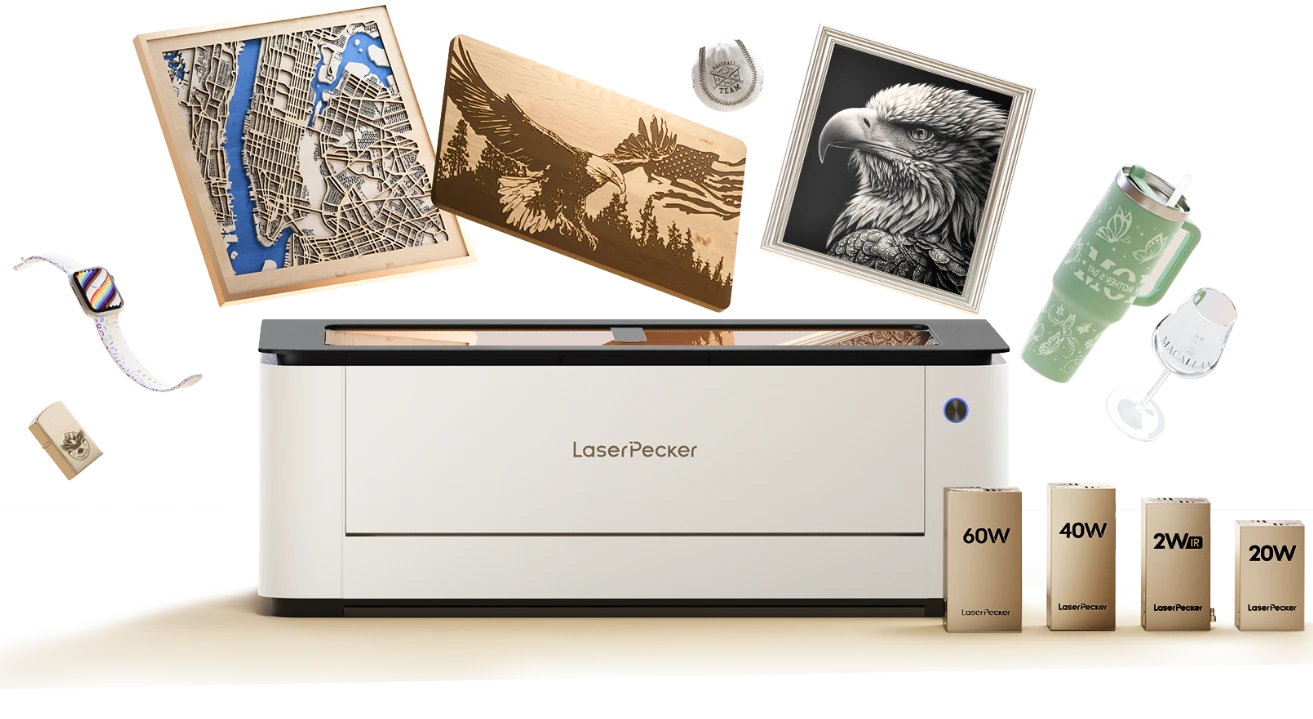
Recommended Laser Cutting Machine for Stencils: LaserPecker LX2
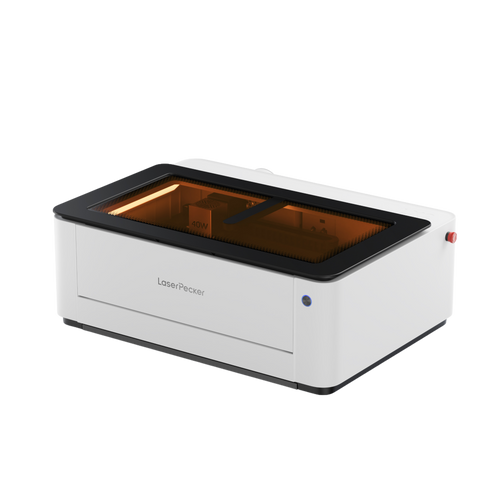
The LaserPecker LX2 combines precise motion control with strong laser performance, making it a practical solution for stencil production, custom design work, and small-scale manufacturing.
For users in the UK, the LX2 is particularly attractive because its enclosed design supports Class 1 Laser Safety, making it suitable for safer indoor workshop use. It can also be paired with the LaserPecker Desktop Smoke Purifier to help filter smoke, odours, and airborne particles generated during engraving and cutting.
-
Ultra-Fine Laser Spot (135.9 × 103.3 μm)
The LX2 uses an ultra-fine laser spot to create highly accurate cuts with exceptionally clean edges. -
Multi-Laser System (450 nm Diode + 1064 nm Infrared)
The LX2 combines both a 450 nm diode laser and a 1064 nm infrared laser, allowing it to work with more than 300 materials. -
Software-Controlled Cutting for Batch Production
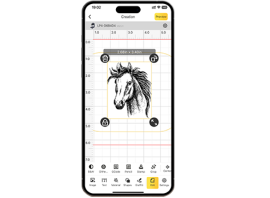
All cutting paths are digitally controlled through software, helping users achieve consistent production quality. -
Large Working Area (Up to 500 mm × 305 mm)
With a spacious working area of up to 500 mm × 305 mm, the LX2 supports both small craft stencils and larger signage templates.
FAQs: Common Questions About Stencil Cutting Machines
Q1: What is the best machine for cutting Mylar stencils?
For simple shapes and larger lettering, vinyl cutters work well with thin Mylar sheets. However, for detailed artwork, small lettering, and repeat production, laser cutting machines are usually the better option. Laser systems provide cleaner edges, higher precision, and more consistent results because they do not rely on physical blades that may distort thin materials.
For reusable stencils, branding work, or small business production in the UK, laser cutters are often preferred for their speed and cutting accuracy.
Q2: Can a laser cutter cut stencil plastic?
Yes, laser cutters can process many stencil plastics, including Mylar (PET film), polypropylene, and thin acrylic sheets. The laser removes material cleanly through heat, producing smooth edges and fine detail.
It is important to use correct speed and power settings to minimise warping or heat marks. Users should also ensure that materials are laser-safe. PVC and vinyl containing chlorine should never be cut with a laser because they can release harmful fumes.
Q3: Is a laser cutter better than a vinyl cutter for stencil making?
It depends on the project requirements. Vinyl cutters are affordable and effective for adhesive films and basic stencil shapes. Laser cutters are generally better for:
- Fine detail work
- Complex logos
- Thick or rigid materials
- Repeated batch production
- Multi-material projects
Because laser cutting is non-contact, there is no blade drag or blade wear. This helps improve consistency and cutting quality over time.
Q4: How thick can stencil materials be for laser cutting?
The maximum cutting thickness depends on the material type and laser power. Most desktop diode laser machines can process stencil materials ranging from approximately 0.1 mm up to around 7 mm.
Thicker acrylic sheets or dense wood materials may require slower cutting speeds or multiple passes. Proper airflow and smoke extraction also help maintain cleaner cutting edges on thicker materials.
Q5: Are laser-cut stencils durable?
Yes, laser-cut stencils made from Mylar or PET film are highly durable and reusable. Since the laser does not physically contact the material, there is less risk of cracking, tearing, or rough edge damage.
With proper material selection and storage, laser-cut stencils can withstand repeated painting, spraying, and cleaning while maintaining accurate shapes and sharp edges.
Q6: Are laser cutting machines safe for indoor stencil making?
Modern enclosed laser systems are designed with improved safety features for indoor use. Machines such as the LaserPecker LX2 support Class 1 Laser Safety, making them suitable for home workshops, studios, and small businesses when used correctly.
For additional indoor safety, many UK users pair their machines with smoke purification systems such as the LaserPecker Desktop Smoke Purifier to help reduce fumes, airborne particles, and odours generated during cutting and engraving.
Conclusion
Stencil cutting machines are available in a wide range of styles, from basic manual tools to advanced digital production systems. Manual cutting tools remain an affordable option for simple DIY projects, while vinyl cutters work well for thin films and adhesive stencil materials. CNC router machines are better suited to thicker boards and industrial-style applications.
For users who prioritise precision, material flexibility, and consistent production quality, laser cutting machines offer the most complete solution. They can process a broad range of materials, produce highly detailed stencil designs, and support efficient batch production with excellent repeatability. For UK makers, design studios, and small businesses, laser systems have become one of the most practical choices for professional stencil making.